


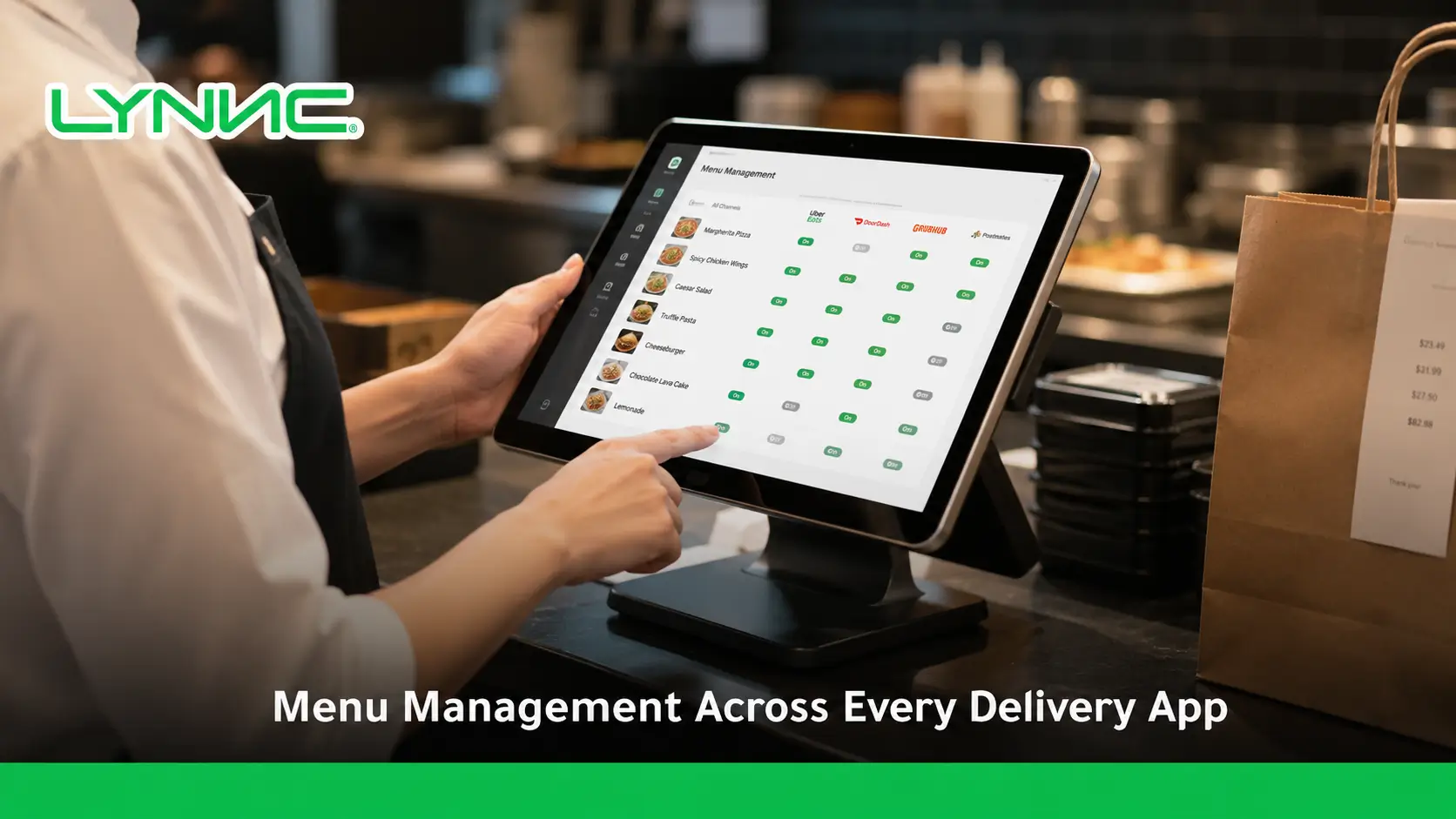
Centralized menu management allows restaurants to control product information across multiple delivery channels without editing every platform separately.
LYNNC platform provides a unified environment for managing this workflow more consistently.
A well-structured setup can manage products, prices, modifiers, availability, categories, images, and branch-specific rules while keeping each connected food delivery app aligned with the restaurant’s intended menu.
Deliverect and Foodics both support centralized menu publishing and synchronization across supported delivery channels.
Key Takeaways
- Manage menu data centrally: Products, prices, modifiers, availability, and other menu information can be controlled from one environment.
- Reduce repeated edits: Approved changes can be published to multiple supported delivery channels instead of being entered separately.
- Keep product mapping accurate: The same item and modifier must remain correctly linked across restaurant and delivery systems.
- Control prices intentionally: Price alignment does not always mean every channel must use the same price; location or channel-specific pricing may be required.
- Manage availability by location: An item can be unavailable in one branch while remaining active in another when the system supports location-level control.
- Verify every publication: Successful menu management requires validation and publish monitoring because channel requirements and supported fields can differ.
What Does Centralized Menu Management Control?
- Products: Maintain the correct menu items across connected ordering channels.
- Product IDs: Keep each external item linked to the correct restaurant product.
- Categories: Organize products under the correct menu sections.
- Prices: Publish the intended price for each location or channel.
- Modifiers: Maintain sizes, toppings, extras, and customization options.
- Availability: Control which products customers can currently order.
- Descriptions and Images: Keep customer-facing product information accurate.
- Channel Visibility: Decide which items appear on specific delivery platforms.
- Location Rules: Control menus for individual branches instead of treating every restaurant identically.
Modern catalog systems treat items, variations, modifiers, prices, and location availability as separate structured data, while Deliverect allows menu fields to be customized by channel and location.
Why Do Restaurant Menus Become Inconsistent Across Delivery Apps?
1. The Same Change Is Entered Several Times
When every platform is managed separately, staff may need to repeat the same product, price, image, or availability update. Each additional manual edit creates another opportunity for information to become inconsistent.
2. Delivery Channels Support Different Fields
Not every integration supports the same products, modifiers, pricing features, or order types. Foodics documentation, for example, shows that specific integrations may exclude some price-tag or modifier functionality.
3. Branches May Need Different Menus
A product may be available in one location but not another, while pricing or product visibility may also vary by branch. Menu data therefore needs location-level mapping rather than one uncontrolled global update.
4. Modifier Mapping Can Break
A burger may appear correctly while its size, topping, or add-on options are missing or incorrectly priced. Modifier data needs its own mapping because it is structured separately from the main product.
5. A Menu Can Fail to Publish
A menu may be correct inside the management platform but fail to appear on a delivery channel because the channel is not configured correctly or required menu information is missing. Deliverect provides publish-status reporting specifically for identifying these failures.
Which Menu Data Should Stay Synchronized?
Menu Data
Why It Matters
Common Problem
Product ID
Keeps the same item linked across systems.
Duplicate or incorrect product mapping.
Product Name
Maintains clear customer-facing information.
Different names appear across apps.
Category
Keeps products under the correct menu section.
Items appear in the wrong category.
Price
Displays the intended selling price.
Old or incorrect price remains live.
Modifiers
Preserves sizes, extras, and customization.
Missing or incorrectly priced options.
Availability
Prevents orders for unavailable items.
Sold-out products remain orderable.
Description
Keeps product details accurate.
Old ingredients or information remain visible.
Images
Maintains the intended product presentation.
Different or outdated images appear.
Location
Applies changes to the correct branch.
One branch update affects another.
Channel Visibility
Controls where each item appears.
A product is published to the wrong app.
Foodics integrations document synchronization of products, categories, modifiers, and modifier options, while Deliverect supports channel- and location-level customization of prices, visibility, names, descriptions, categories, and images.
Where Should the Master Menu Live?
1. Choose One Main Product Record
Restaurants should define which system owns the primary product information instead of allowing several systems to independently control the same fields.
2. Map External Channels Back to That Record
Each product on a delivery platform should remain associated with the correct master item, variation, and modifier. Catalog-based systems use persistent IDs specifically to maintain these relationships.
3. Define Which System Owns Each Field
The POS may control products and base prices while another platform manages channel visibility or customer-facing images. The exact architecture can differ, but ownership should be explicit.
4. Keep the POS Connection Consistent
When POS data is used as the master catalog, a reliable POS system integration helps maintain the relationship between operational items and the versions published on digital ordering channels.
How Does Menu Synchronization Work Across Delivery Apps?
1. Import or Create the Base Catalog
The restaurant starts with its core products, categories, prices, variations, and modifiers in the selected master system.
2. Map Products to Connected Channels
Each food delivery app integration needs to associate the restaurant’s products and modifiers with the corresponding objects supported by that delivery channel.
3. Apply Location and Channel Rules
Restaurants can define which products are visible, what prices apply, and which information changes for specific locations or delivery platforms. Deliverect supports customization by location and channel for fields including price, visibility, descriptions, and images.
4. Validate the Menu
Products, modifiers, pricing, availability, and required channel information should be checked before publishing.
5. Publish to the Selected Channels
The approved menu is sent to the intended delivery apps. Deliverect allows restaurants to select the menus and channels they want to publish to, while Foodics Online requires menu updates to be republished before they appear to customers.
6. Monitor Publication Results
A published menu should be checked for failed updates, missing products, incorrect prices, unavailable items, and channel-specific errors.
Does Menu Synchronization Mean Every App Shows the Same Menu?
No. Menu synchronization should keep data controlled and intentional, but restaurants may still choose different products, prices, images, or availability for different channels or locations.
Can Stay Consistent
Can Intentionally Differ
Product identity
Selling price
Product mapping
Product visibility
Modifier relationships
Channel-specific products
Core category structure
Images or descriptions
Base product information
Branch availability
Operational identifiers
Location-specific options
Deliverect explicitly allows restaurants to customize price, visibility, name, description, category, and image by location or delivery channel.
Foodics also supports multiple prices for the same product through price tags based on order source or delivery application.
How Should Restaurants Maintain Price Alignment?
1. Define the Intended Price for Each Channel
Price alignment means the live price should match the restaurant’s intended pricing strategy. It does not automatically mean every food delivery app must use an identical price.
2. Map the Correct Price to the Correct Product
The price should remain connected to the correct product or variation. A misplaced price mapping can make one menu item inherit another item’s value.
3. Separate Location and Channel Pricing
Restaurants may intentionally use different prices by branch, order type, or delivery platform. Both Square and Foodics support forms of location- or source-specific pricing.
4. Verify Prices After Publishing
A successful publish request does not replace customer-side verification. Restaurants should check that the intended prices actually appear on the selected channels.
How Should Product Availability Be Managed?
- Use Location-Level Availability: An item sold out in one branch should not automatically disappear from every other location.
- Update Sold-Out Status Quickly: Products that cannot be prepared should be made unavailable on supported ordering channels.
- Restore Products When Available: Temporary removal should not require rebuilding the menu when the item returns.
- Separate Inventory From Visibility: A product may be intentionally hidden even when physical inventory exists.
- Monitor Sync Failures: A product marked unavailable internally should not remain orderable because an external update failed.
Square exposes location-level sold-out information and allows items to become unavailable either through inventory rules or manual actions. Foodizone likewise describes real-time item availability control by outlet.
Why Do Modifiers Cause Menu Synchronization Problems?
1. Modifiers Are Separate Menu Objects
Extras, toppings, sizes, and customization choices are often structured separately from the base menu item, so they require their own mapping and pricing.
2. Modifier Prices Can Change the Final Total
A product may have the correct base price while an extra topping or larger size carries an incorrect value, creating a final-price mismatch.
3. Channel Support Can Differ
Some delivery integrations do not support every modifier feature. Foodics documents integrations where free or default modifier options are not supported, showing why compatibility must be checked per channel.
4. Location Rules Can Complicate Mapping
Modifier behavior can vary by location depending on the catalog structure. Square, for example, documents location-specific modifier pricing and limitations around modifier availability.
What Changes When Menus Are Managed Across Multiple Branches?
Area
Single Branch
Multiple Branches
Product Mapping
One main location mapping.
Products must remain tied to the correct branch.
Availability
One availability state may be enough.
Stock status can differ by location.
Pricing
Usually simpler to control.
Prices may vary by branch.
Menu Visibility
One menu structure.
Some products may appear only in selected locations.
Modifiers
Fewer location rules.
Options may differ between branches.
Publishing
Smaller publication scope.
Updates must target the intended locations.
Testing
One customer-facing menu to verify.
Each relevant branch-channel combination may need checking.
Catalog systems such as Square support location-specific presence, pricing, and inventory behavior, while delivery-management platforms can maintain different menus or settings across locations.
What Should Be Tested Before Publishing a Menu?
- Product Mapping: Confirm that each item points to the correct product record.
- Categories: Verify that products appear under the intended sections.
- Prices: Check base prices and any location- or channel-specific values.
- Modifiers: Test required, optional, paid, and supported customization options.
- Availability: Confirm sold-out products cannot still be ordered.
- Branch Rules: Make sure each update reaches only the intended locations.
- Channel Visibility: Verify that hidden or channel-specific products appear correctly.
- Images and Descriptions: Check customer-facing content after publication.
- Test Orders: Place a test order where supported to validate the menu before normal operations.
- Publish Status: Confirm that the external channel accepted the publication rather than assuming the update succeeded.
Deliverect provides menu preview, validation, test-order, publication, and publish-status functions, reflecting the importance of checking the menu before and after it goes live.
What Can Cause a Menu Update to Fail?
- Missing Required Fields: A delivery platform may reject products that do not contain required information.
- Incorrect Product Mapping: The external item points to the wrong internal product.
- Unsupported Modifier Features: The target channel cannot represent a specific modifier configuration.
- Price Compatibility Issues: The platform may not support the restaurant’s pricing or tax setup.
- Disconnected Delivery Channel: A menu cannot be published if the destination channel is not configured correctly.
- Wrong Location Mapping: The change is sent to a different branch or is not sent anywhere.
- Publication Failure: The menu is updated internally but the external channel rejects or delays the change.
- Stale Menu Data: Old product information remains active because the latest changes were never republished.
Official Deliverect documentation notes that channel configuration and platform-specific requirements can affect publication, while Foodics integration documentation shows that feature support varies between external platforms.
Which Metrics Show Whether Menu Management Is Working?
- Menu Publish Success Rate: Percentage of publication attempts completed successfully.
- Price Mismatch Count: Products displaying unintended prices across channels.
- Availability Mismatch Rate: Items shown as available when the restaurant cannot sell them.
- Product Mapping Accuracy: Percentage of products correctly matched across systems.
- Modifier Error Rate: Orders or menu items affected by incorrect modifier mapping.
- Time to Publish Changes: Time between approving a menu change and seeing it live.
- Manual Channel Edits: Number of changes still requiring separate work inside individual delivery apps.
- Failed Menu Updates: Updates rejected or not reflected by external platforms.
These are practical operational metrics for monitoring menu management, not universal industry-standard KPIs.
How Is Centralized Menu Management Different From a Digital Menu?
Centralized Menu Management
Digital Menu
Controls backend product information.
Presents products to the customer.
Can feed several ordering channels.
Usually represents one customer-facing experience.
Manages mapping and synchronization.
Displays names, images, descriptions, and prices.
Can control channel and branch rules.
Shows the menu approved for that context.
Supports operational availability.
Reflects the availability received from the backend.
A menu management across channels is therefore a customer-facing use of menu data, while centralized menu management controls how that information is structured, updated, and distributed.
When Does Menu Management Need a Wider Restaurant System?
- Multiple Delivery Apps: Restaurants need channel integrations rather than separate manual menu updates.
- Direct Online Ordering: Website orders may need the same products, prices, modifiers, and availability.
- QR Ordering: Table ordering should use accurate menu information rather than maintaining another independent catalog.
- POS Operations: Products sold digitally need to remain mapped to the restaurant’s transaction environment.
- Order Management: Incoming orders need to use the same product definitions customers saw when ordering.
- Multi-Branch Operations: Each location may require its own pricing, menu visibility, and availability.
- Analytics: Product performance becomes easier to compare when menu records remain consistent across channels.
How LYNNC Supports Cross-Channel Menu Operations
1. Connect Menu Data With POS Systems
LYNNC states that its menu solution can synchronize product data from POS systems to connected delivery apps, reducing the need to recreate product information separately.
2. Control Menus by Delivery Channel
The platform describes the ability to customize menus for individual delivery applications, allowing restaurants to control how products appear across different channels.
3. Manage Product Information Centrally
LYNNC documents controls for product names, descriptions, images, modifiers, and unavailable items from its menu-management environment.
4. Publish Changes to Connected Apps
Its Menu Engineering solution states that approved product changes can be synchronized with connected delivery platforms rather than updated manually one by one.
5. Extend the Integration Environment
Restaurants can review Lynnc Integrations when connecting menu operations with supported POS, ordering, and delivery platforms. LYNNC also states that its wider platform connects with existing POS, inventory, and delivery tools.
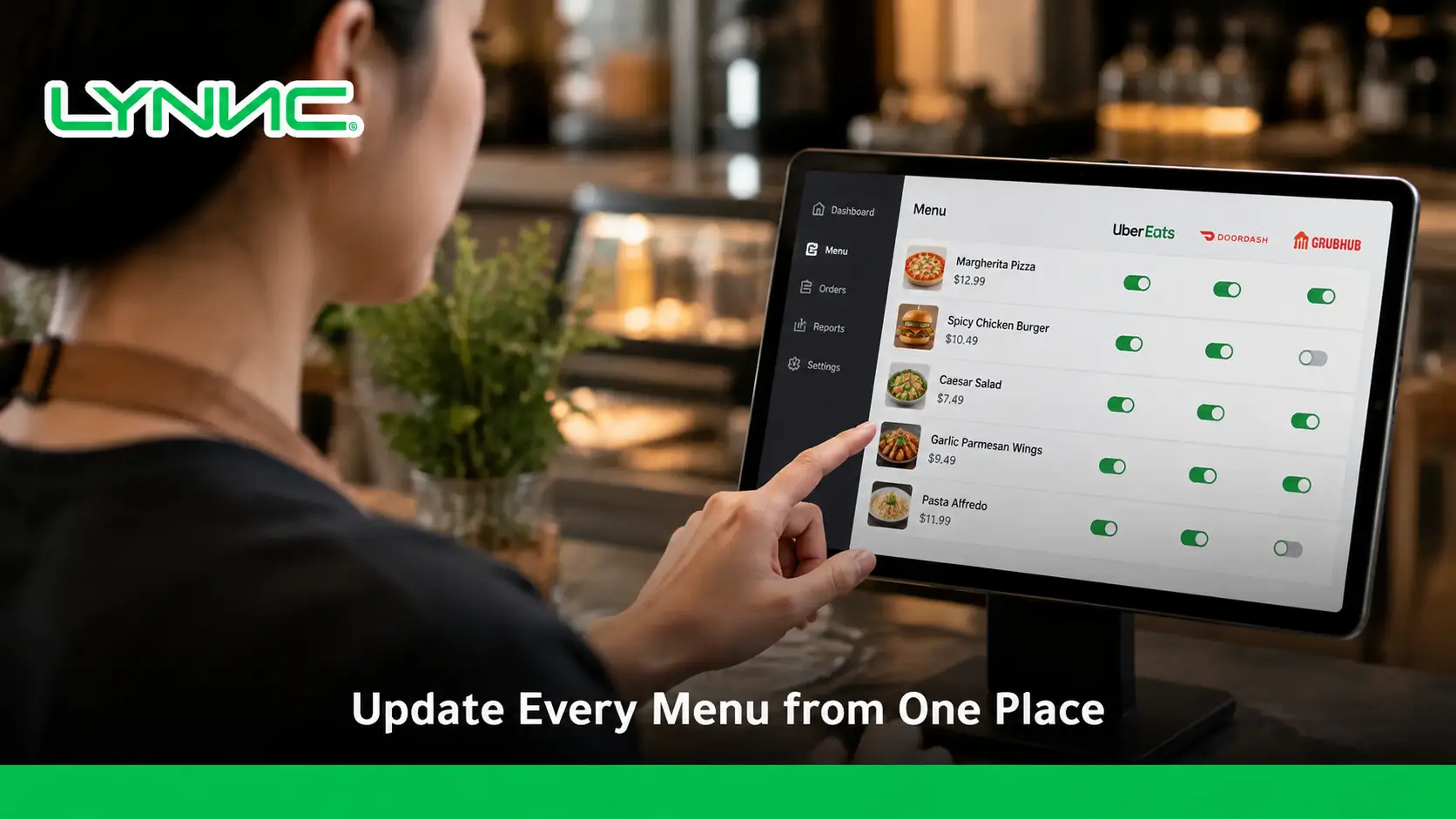
One Menu Should Stay Controlled Across Every Channel
Effective menu management does not mean forcing every delivery channel to look identical. It means keeping products, prices, modifiers, availability, and branch rules controlled from a reliable source so every published menu reflects the restaurant’s intended setup.
Strong menu synchronization also requires checking what each channel supports, verifying product mapping, controlling price alignment, testing modifiers and availability, and monitoring publication failures instead of assuming every update reached every platform.
For restaurants, cafés, cloud kitchens, and multi-branch businesses in Saudi Arabia that want to manage menus across delivery platforms from one operating environment, contact LYNNC to request a demo and discuss your current menu-management setup.
learn more about upselling Techniques in Restaurants Using a Digital Menu
FAQs About Menu Management Across Delivery Apps
What Does Centralized Menu Management Mean?
Centralized menu management means controlling menu information from one main environment and distributing approved data to supported ordering or delivery channels instead of maintaining every menu independently.
Can One Menu Be Used Across Several Delivery Apps?
Yes, where supported integrations exist. Restaurants can publish a base menu to several channels while still applying channel- or location-specific changes where needed.
Does Menu Synchronization Keep Every Price the Same?
Not necessarily. Price alignment means each channel displays the intended price. Some restaurants intentionally use different pricing by location, order type, or delivery platform.
Can Different Branches Have Different Menus?
Yes. A menu system can use location rules to control product presence, pricing, or availability for individual branches when the underlying platform supports those settings.
Can Sold-Out Products Be Removed From Delivery Apps?
Yes, when the integration supports availability synchronization. The item can be marked unavailable for the relevant location and restored when it becomes available again.
Do Modifiers Always Synchronize Between Platforms?
No. Modifier support varies between integrations, and some channels may not support specific default, free, or advanced modifier behavior.
Does Menu Management Require a POS?
Not always. Menu data can be managed by another central platform, but restaurants using a POS commonly connect their product catalog so digital orders and operational product records remain aligned.
Why Can a Menu Look Correct Internally but Wrong on a Delivery App?
The latest update may not have been published successfully, a channel may reject unsupported fields, or product and location mapping may be incorrect. Menu publication should therefore be validated on the destination channel.
Is a Digital Menu the Same as Menu Management?
No. A digital menu is the customer-facing display of products, while menu management controls the underlying products, prices, modifiers, availability, mapping, and publishing rules.

