


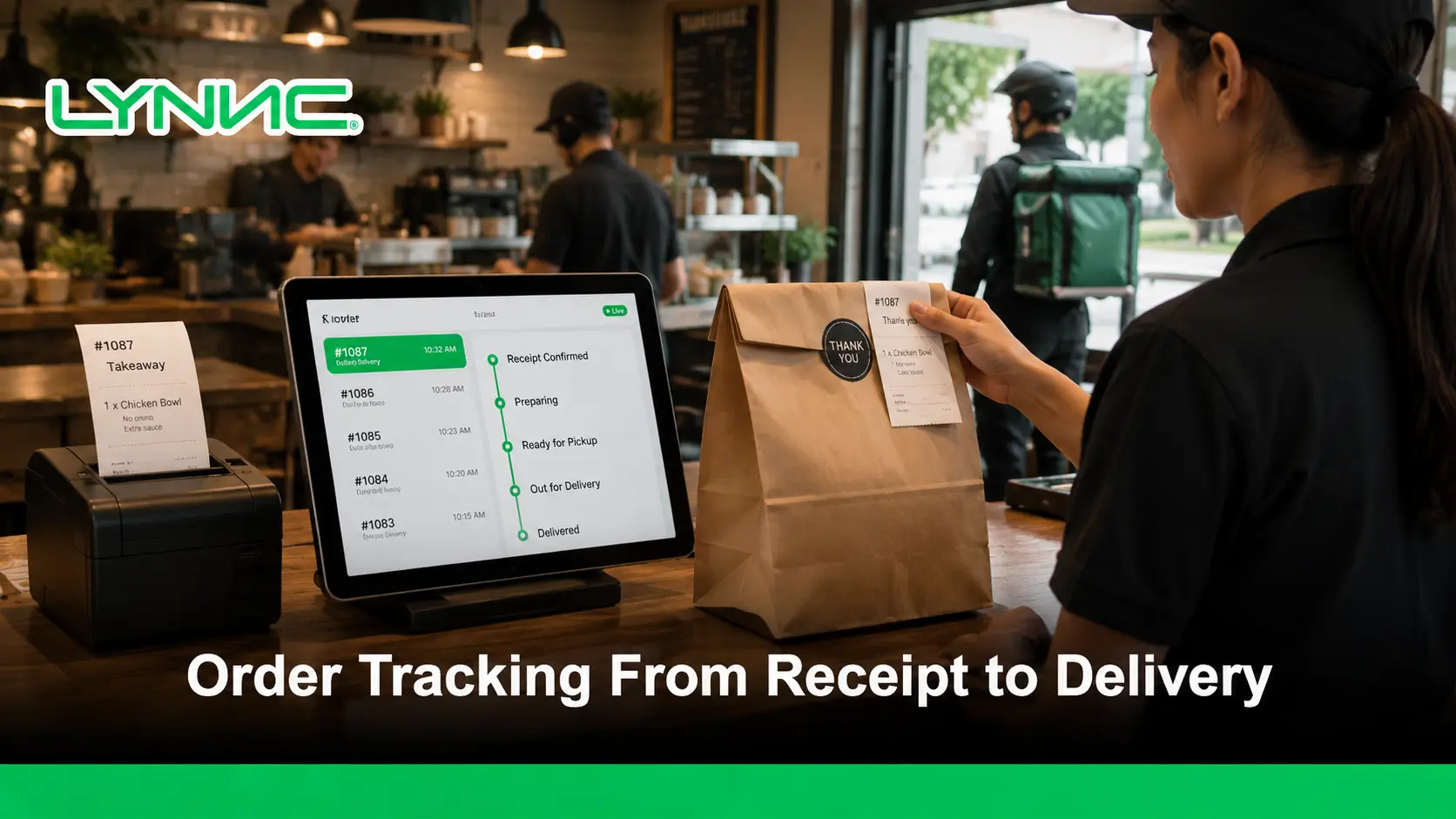
Restaurant delivery tracking systems connect order statuses from receipt, acceptance and kitchen preparation through dispatch and final delivery. Order tracking reports which stage an order has reached; driver tracking can show location when compatible GPS data is available. Neither guarantees an exact arrival time. Restaurants should validate POS, kitchen and delivery updates before presenting a status to customers.
LYNNC restaurant technology platform provides a unified environment for managing this workflow more consistently.
The value is not simply showing a status on a screen. Accurate tracking depends on connected order statuses, POS and kitchen updates, delivery information, and clear customer notifications. Foodics confirms that order statuses help both customers follow orders and operations teams understand how to handle them, while Deliverect supports statuses covering acceptance, preparation, delivery, and failure.
Restaurant Delivery Tracking: From Order Receipt to Delivery
- Received: the order enters a supported ordering channel.
- Accepted and preparing: the kitchen or POS updates its available status.
- Ready and dispatched: the order moves into the delivery handoff where supported.
- Delivered or exception: the team records available completion or failed-handoff details.
Order Tracking vs Driver Tracking vs Delivery Tracking
| Tracking type | Primary information | Data dependency |
|---|---|---|
| Order status | Received, preparing, ready and completed | POS / order and kitchen updates |
| Driver tracking | Driver position and assignment | Tracking permissions, signal and location updates |
| Delivery tracking | Dispatch, pickup and handoff | Order status plus supported fleet events |
Review restaurant order management, fleet management and customer status notifications as separate capabilities; integration scope and customer-facing visibility depend on the systems enabled.
Key Takeaways
- Track the full order lifecycle: Visibility should continue from order receipt through preparation, pickup, delivery, and completion.
- Use meaningful statuses: Accepted, preparing, ready, in delivery, delivered, and failed provide more useful information than a single generic “processing” status.
- Connect kitchen updates: Customer-facing tracking becomes more accurate when order progress reflects what is actually happening in the kitchen.
- Separate order and delivery tracking: Order tracking covers the complete workflow, while delivery tracking focuses mainly on the last-mile stage.
- Keep customers informed: Useful status notifications and realistic ETAs reduce uncertainty without overwhelming customers with unnecessary alerts.
- Detect tracking failures: An order that stops updating should be treated as an operational exception rather than assumed to be progressing normally.
What Does Real-Time Order Tracking Cover?
Order tracking is the continuous visibility of an order as it moves through the restaurant’s operational stages.
A restaurant may track:
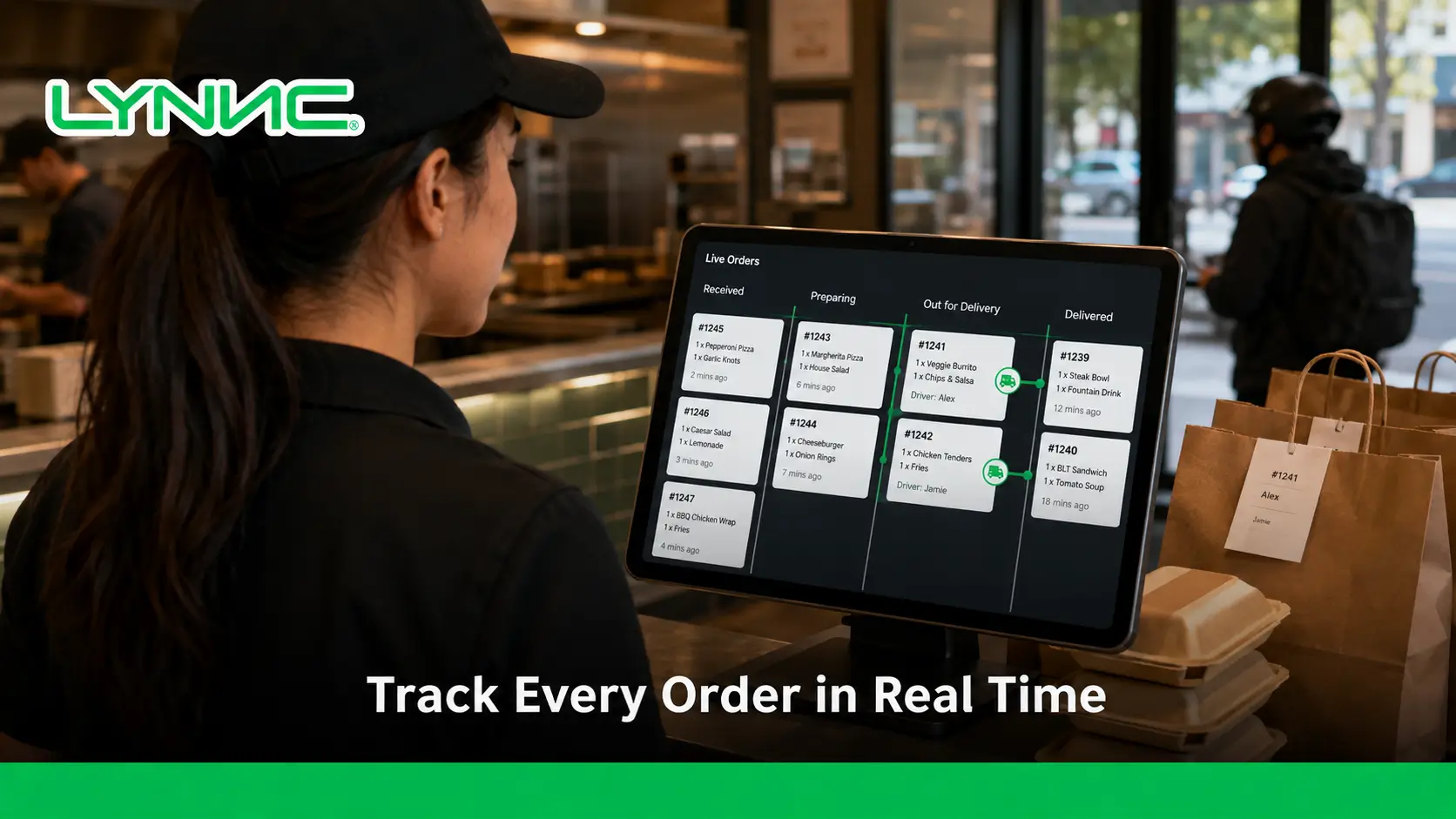
- Order Receipt: Confirms that the order has entered the restaurant system.
- Order Acceptance: Shows that the restaurant has accepted the request for processing.
- Kitchen Preparation: Indicates that the order is actively being prepared.
- Ready Status: Confirms that preparation is complete and the order is waiting for pickup or handoff.
- Pickup: Records when the customer, courier, or restaurant driver receives the order.
- In Delivery: Shows that the order is travelling toward the customer.
- Delivered: Confirms that the delivery stage has been completed.
- Failed or Cancelled: Identifies an order that could not continue through the normal workflow.
Deliverect, for example, documents statuses including Accepted, Preparing, Prepared, Pickup Ready, In Delivery, Delivered, Printed, and Failed.
Which Order Statuses Matter Most?
Order Status
What It Should Tell the Restaurant
Received
The order has entered the ordering or management system.
Accepted
The restaurant has confirmed that the order will be processed.
Preparing
The kitchen is currently working on the order.
Ready
Preparation is complete and the order can be collected.
Picked Up
The order has left the restaurant with the customer or driver.
In Delivery
The driver is travelling toward the delivery destination.
Delivered
The order has reached the customer.
Cancelled
The order has been intentionally stopped.
Failed
A technical or operational problem prevented normal processing.
Foodics also allows restaurants to customize the way order statuses appear to customers for pickup and delivery orders, showing why internal operational states and customer-facing wording do not always need to be identical.
How Should Order Progress Be Updated Inside the Restaurant?
1. Confirm When the Order Enters the System
The first useful tracking event is confirmation that the order has actually reached the restaurant. An order created on a website or food delivery app should not be shown as successfully received if the integration failed before it entered the restaurant system.
2. Record Acceptance
Acceptance confirms that the restaurant has taken responsibility for processing the order. This status may be triggered manually or automatically depending on the ordering setup.
3. Update the Kitchen Stage
When the order moves into preparation, the tracking status should reflect that change. A connected kitchen display system can receive online and POS orders and route them to the relevant preparation stations. Square KDS supports routing online orders and orders from selected POS devices to kitchen displays.
4. Mark Preparation as Complete
Once the kitchen finishes the ticket, the order can move to a ready state. Square KDS, for example, allows individual items or full tickets to be completed and also supports recalling tickets when needed.
5. Update Fulfillment
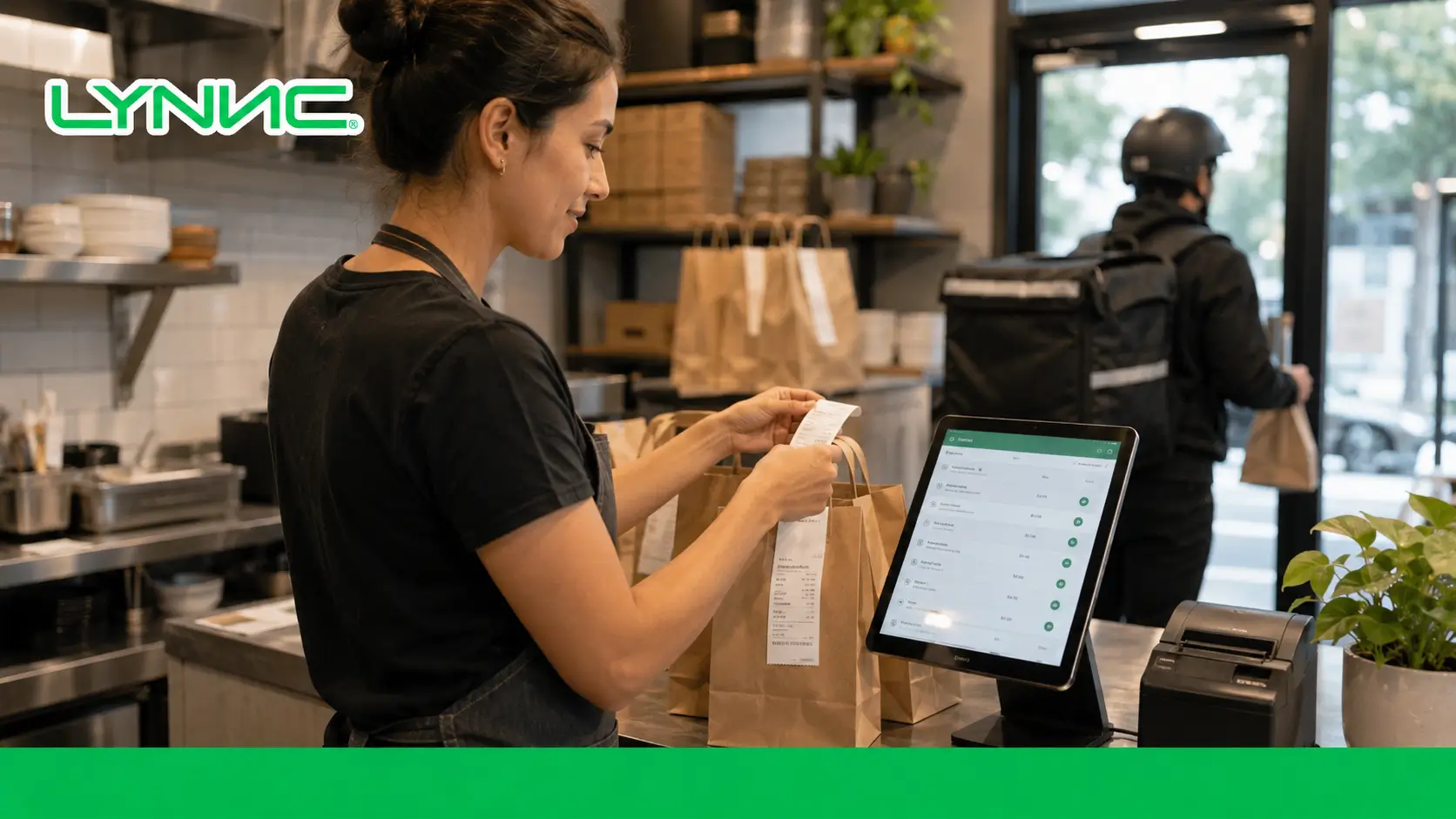
Pickup, courier assignment, delivery start, and final completion should update the order only when those events actually occur rather than relying on estimated progress.
What Data Keeps Order Tracking Accurate?
- Order ID: Gives every order a unique reference that can be followed across connected systems.
- Order Source: Identifies whether the order came from POS, website, QR ordering, or another channel.
- Location: Links the order to the restaurant or branch responsible for fulfillment.
- Current Status: Shows the latest confirmed stage of the order.
- Status Timestamps: Record when important events such as acceptance, pickup, or delivery occurred.
- Fulfillment Type: Distinguishes delivery, pickup, dine-in, or other supported workflows.
- Kitchen Status: Indicates whether preparation has started or finished.
- Driver Assignment: Identifies the courier responsible for a delivery where applicable.
- Driver Location: Provides live geographic information during last-mile delivery when supported.
- ETA: Gives an estimated arrival time that can change as delivery conditions change.
Shipday’s delivery API, for example, exposes the current order status, driver location, ETA, pickup time, arrival time, and delivery time as separate tracking information.
Why Should Order Tracking Connect With the POS?
1. Keep the Order Record Consistent
A POS system integration helps ensure the restaurant tracks the same order that appears in its transaction system instead of maintaining separate records across several platforms.
2. Reduce Manual Status Updates
When order systems are connected, staff do not need to reproduce every operational change manually in another dashboard.
3. Connect Online and In-Store Operations
Square’s Orders environment can display online orders from Square Online and integrated partners alongside order source, fulfillment type, total, and order status.
4. Make Tracking Failures Easier to Detect
If an external platform shows an order as received but it never reaches the POS, the mismatch can be treated as an integration problem instead of allowing the order to disappear unnoticed.
How Does Kitchen Tracking Affect Customer Updates?
1. Preparing Should Mean Preparation Has Started
A customer should not see a preparation status simply because the order was accepted. Linking status changes with the restaurant workflow gives the message a clearer operational meaning.
2. Ready Should Reflect Kitchen Completion
A Ready status is more useful when it is triggered after the relevant kitchen work is finished rather than based only on a fixed timer.
3. Missing Kitchen Orders Need Immediate Attention
Incorrect routing can cause a POS order to exist without appearing on the correct kitchen screen. Square’s KDS troubleshooting documentation specifically identifies routing settings and kitchen categories as causes of missing orders.
4. Different Stations Can Track Different Work
A restaurant may send different product categories to different preparation stations while maintaining one overall order status for the customer.
Order Tracking vs Delivery Tracking
Order Tracking
Delivery Tracking
Begins when the order is received.
Usually becomes relevant when delivery fulfillment starts.
Covers acceptance and preparation.
Focuses on the driver and last-mile journey.
Can include POS and kitchen progress.
Can include GPS location and route progress.
Tracks ready and pickup stages.
Tracks pickup, transit, arrival, and delivery.
Relevant to pickup and delivery orders.
Primarily relevant to delivered orders.
Can end when an order is completed or collected.
Ends when the driver completes the delivery.
A delivery app order management setup may include both types of visibility, but delivery tracking should not be treated as the entire order lifecycle.
What Changes Once a Driver Takes the Order?
1. Driver Assignment Becomes Trackable
The system can associate the delivery with a specific driver or courier so operations teams know who is responsible for the last-mile stage.
2. GPS Location Can Update Delivery Progress
When driver tracking is supported, the system can receive current geographic coordinates during delivery. Shipday documents dynamic real-time carrier location as part of its tracking data.
3. ETA Can Change During the Journey
A useful ETA is not necessarily fixed at dispatch. Onfleet states that delivery ETAs can appear in dashboards, customer notifications, and recipient tracking pages, with estimates calculated using route and real-time data.
4. Delivery Completion Should Be Recorded
The final status should be based on confirmed completion rather than an assumed arrival time. Delivery platforms may also support proof such as photos, signatures, or completion records. Onfleet documents photos, signatures, and delivery notes as proof-of-delivery options.
Which Customer Notifications Are Actually Useful?
Notification
Why It Matters
Order Confirmed
Reassures the customer that the restaurant received the order.
Preparation Started
Shows that the order has moved beyond acceptance.
Order Ready
Useful for pickup customers or before courier collection.
Out for Delivery
Confirms that the last-mile stage has started.
Updated ETA
Helps customers plan when arrival timing changes.
Delay Notification
Explains a meaningful change instead of leaving the customer guessing.
Delivered
Confirms that the order lifecycle has been completed.
Customer-facing delivery systems can provide live maps, ETAs, and SMS updates after dispatch. Shipday documents branded tracking links containing live location and ETA information, while Onfleet supports tracking pages and automated notifications throughout delivery.
How Can Tracking Improve Customer Experience?
1. Reduce Uncertainty
Customers can see whether the restaurant received the order, whether preparation has started, and whether the delivery is on the way instead of relying on a single estimated time.
2. Give More Useful Arrival Information
Real-time or dynamically updated ETAs provide more context than a fixed delivery estimate that does not respond to changing conditions.
3. Communicate Delays Earlier
If preparation or delivery falls behind schedule, a status or delay notification can explain the change before the customer needs to ask for an update.
4. Confirm Completion
A final delivery status or proof-of-delivery record gives both the restaurant and the customer a clear endpoint for the order.
A stronger customer experience comes from relevant updates at meaningful stages, not from sending a notification for every internal system event.
How Does Food Delivery App Tracking Stay Connected?
A food delivery app integration needs to preserve the order identity and supported statuses as information moves between the external channel and restaurant systems.
- Order Matching: The external order should remain linked to the correct internal order record.
- Status Mapping: Status names used by different systems need to correspond correctly.
- Branch Mapping: The order must remain associated with the location responsible for fulfillment.
- Failure Handling: An update that fails to reach another system should be detected rather than silently ignored.
- Supported Statuses: Restaurants should verify which preparation, pickup, delivery, and cancellation updates each integration actually supports.
- Update Direction: Some integrations may receive order information without supporting every status change in the opposite direction.
Deliverect’s own order-flow documentation shows that status availability and order flow can be configured, which is why restaurants should not assume every connected channel uses exactly the same status sequence.
What Happens When an Order Stops Updating?
- Check the Order Source: Confirm that the order was successfully created by the customer-facing channel.
- Verify POS Receipt: Determine whether the order reached the restaurant transaction environment.
- Review Kitchen Routing: Check whether the correct KDS or printer received the ticket.
- Inspect the Last Confirmed Status: Identify exactly where the order stopped progressing.
- Check the Integration: API or connection failures may prevent one system from receiving another system’s update.
- Confirm Driver Activity: For deliveries, determine whether a courier was assigned and whether location data is still being received.
- Use Manual Intervention: Staff should be able to correct or complete the workflow when automatic synchronization fails.
A real-time tracking system is only useful when missing updates are visible as exceptions rather than leaving an order indefinitely in an outdated state.
What Does Multi-Branch Order Tracking Need?
Requirement
Why It Matters
Location Mapping
Ensures each order is associated with the branch preparing it.
Branch-Specific Statuses
Prevents activity at one location from affecting another order.
Kitchen Routing
Sends the order to the correct preparation environment.
Driver Assignment by Location
Links deliveries with the fleet or courier serving that branch.
User Permissions
Gives staff access to the locations they are responsible for.
Central Visibility
Allows management to monitor all branches without mixing their orders.
Exception Filtering
Makes failed or delayed orders easier to identify by location.
For a multi-location restaurant, centralized delivery management should preserve branch-level detail rather than combining every order into an undifferentiated list.
Which Metrics Show Whether Order Tracking Is Reliable?
- Status Update Delay: Measures how long a confirmed operational event takes to appear in the tracking system.
- Orders With Missing Statuses: Identifies orders that skip expected stages or stop updating.
- Failed Tracking Updates: Counts status changes that fail to synchronize between systems.
- Average Preparation Time: Shows how long orders remain between preparation start and ready status.
- Pickup Waiting Time: Measures how long completed orders wait before collection.
- Delivery Time: Tracks the period between pickup and successful delivery.
- On-Time Delivery Rate: Shows the percentage of deliveries completed within the expected window.
- ETA Accuracy: Compares estimated arrival times with actual arrival.
- Exception Rate: Measures orders that require manual intervention because normal tracking failed.
Onfleet’s delivery analytics specifically include measures such as on-time rates and service times, while Shipday’s tracking data records timestamps for pickup, arrival, delivery, and failed delivery attempts.
What Should Restaurants Verify Before Showing Tracking to Customers?
- Status Accuracy: Ensure customer-facing labels correspond to real operational events rather than arbitrary timers.
- Integration Reliability: Confirm POS, kitchen, delivery, and ordering systems exchange the required tracking information consistently.
- ETA Source: Understand whether the displayed ETA is static or recalculated using live delivery information.
- Notification Rules: Send updates only for stages that help the customer make a decision or understand progress.
- Driver Privacy: Decide what driver details should appear on customer-facing tracking pages.
- Failure Handling: Make sure customers do not continue seeing an incorrect status when an order has been cancelled or delayed.
- Proof of Delivery: Determine whether delivery confirmation, photos, signatures, or other evidence should be stored or shown.
- Multi-Branch Mapping: Verify that each customer receives updates for the correct restaurant location and order.
How Can LYNNC Connect Order and Delivery Visibility?
1. Track Order Progress
LYNNC’s Order Management solution states that orders can be tracked from receipt through delivery, with real-time tracking designed to provide step-by-step order visibility.
2. Connect Order and Fleet Operations
LYNNC’s Fleet Management offering integrates with Order Management and provides live vehicle tracking, allowing order information and delivery activity to operate within a connected environment.
3. Monitor Delivery Activity
The fleet solution includes real-time vehicle location and delivery-related operational visibility, while Order Management provides centralized order monitoring.
4. Connect Existing Systems
Businesses planning a broader setup can review Lynnc Integrations to connect supported POS, ordering, and delivery technologies. LYNNC states that its platform can connect with existing POS and delivery tools.
Conclusion: Order Tracking Should Show What Is Actually Happening
Reliable order tracking should follow confirmed operational events from receipt and acceptance through kitchen preparation, pickup, delivery, and completion.
For restaurants, this means connecting order statuses with POS and kitchen activity instead of relying only on fixed timers. For delivered orders, delivery tracking adds driver location, ETA, last-mile status, and completion information.
When those updates remain accurate and easy to understand, restaurants gain stronger operational visibility while customers receive a clearer customer experience without unnecessary uncertainty.
For restaurants, cafés, cloud kitchens, retailers, and multi-branch businesses in Saudi Arabia that want to connect order and delivery visibility in one environment, contact LYNNC to request a demo and discuss your current tracking workflow.
guide to order Processing: Why Restaurants Need Automatic Order Acceptance
FAQs About Real-Time Order Tracking
What is restaurant delivery tracking?
It follows available order and delivery statuses from receipt and preparation through dispatch and final handoff.
How is order tracking different from driver tracking?
Order tracking shows workflow statuses; driver tracking uses location or driver signals when the tracking system supports them.
Which order statuses are useful to track?
Common statuses include received, accepted, preparing, ready, dispatched and delivered, but exact states depend on integrations.
Can restaurants send customers delivery updates?
They can when status data and a supported communication channel are configured; timing and message delivery are not guaranteed.
What causes missing tracking updates?
Disconnected apps, delayed synchronization, incomplete driver updates or unsupported status mappings can create gaps.

