


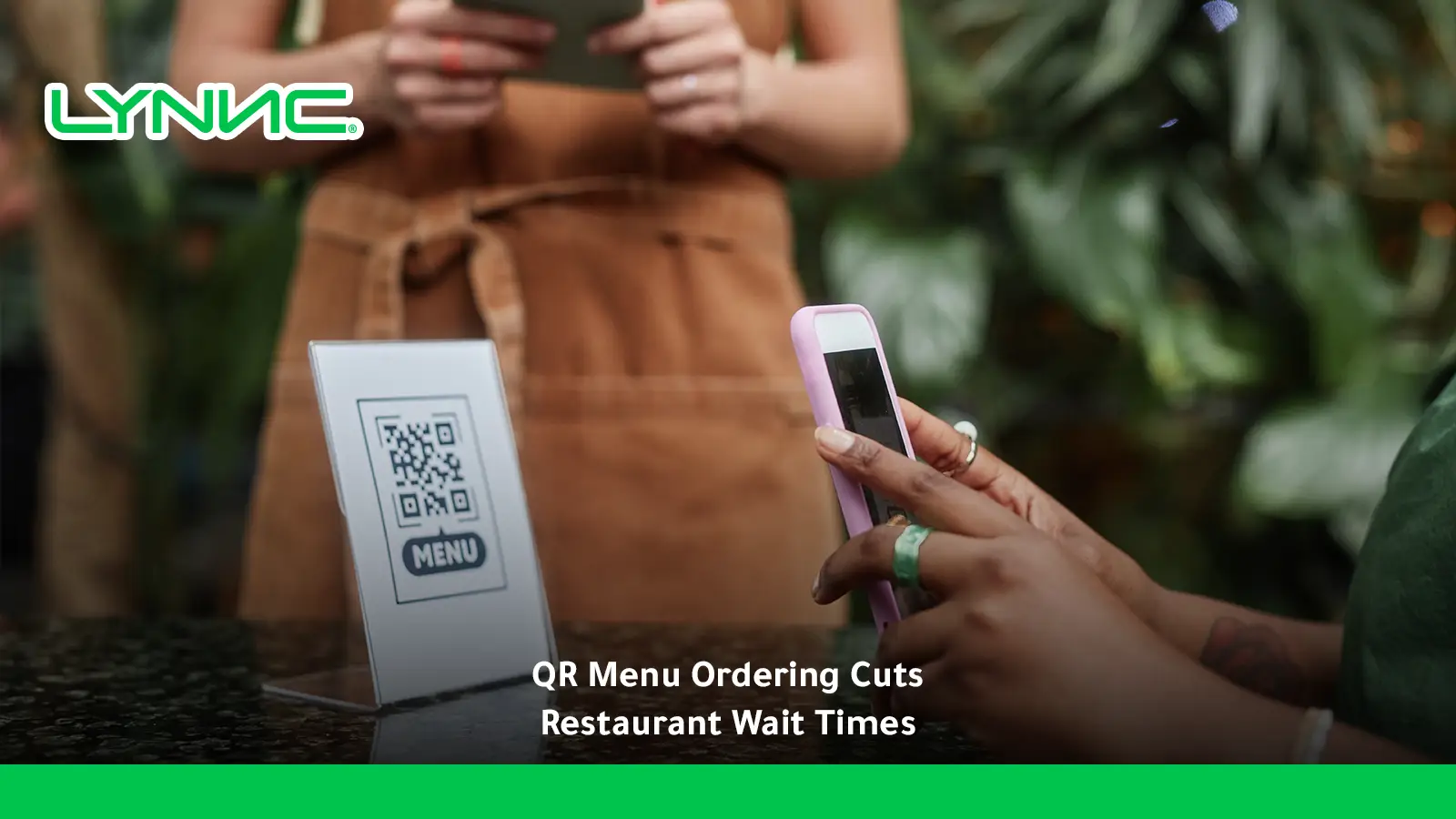
A QR menu for restaurant ordering lets guests scan, browse, order, and sometimes pay from their own phones, reducing dependence on staff for menu delivery, order taking, and checkout.
It can improve speed of service and table turnover when the mobile experience is fast, clear, and integrated with kitchen operations. Results depend on design, connectivity, payment flow, staff support, and whether guests can request human assistance when necessary, without delay.
How a QR Menu Works for Restaurant Ordering
A QR menu works by linking a table-specific or restaurant-wide QR code to a mobile digital menu where customers can browse items and, when ordering is enabled, submit selections directly from their phones. The order can then move into the restaurant’s POS or kitchen workflow without waiting for a server to manually enter it. Restaurants that want guests to complete the payment journey can review the requirements for QR ordering and payment.
A QR menu for restaurant ordering usually follows this flow:
- Scan: The guest scans the QR code placed on the table, menu stand, receipt, or another visible location.
- Browse: The digital menu opens on the guest’s phone with products, prices, descriptions, modifiers, and availability.
- Select: Guests choose dishes and customise their order without waiting for staff to return to the table.
- Submit: The completed order is sent into the restaurant’s connected ordering workflow.
- Prepare: The POS or connected system can route the order to the kitchen according to the restaurant’s setup.
- Pay: If digital payment is included, customers may also complete payment from the same mobile journey.
This self-service structure can remove several hand-offs from the ordering process, but its value depends on the speed, usability, and reliability of the system behind the QR code. Research on self-service technology shows that waiting benefits fall when the technology itself becomes slow or unreliable.
Where Restaurant Waiting Time Comes From
Restaurant waiting time does not come from one step. It builds across menu delivery, decision-making, getting a server’s attention, order entry, kitchen preparation, requests for additional items, bill delivery, payment, and final table clearing.
The main waiting points include:
- Waiting for the menu: Guests may need staff to bring or replace physical menus before browsing can begin.
- Waiting to order: Customers may be ready before a server becomes available to return to the table.
- Manual order entry: An order may be written down first and entered into the POS later, adding another operational step.
- Reordering: Adding a drink, side, or dessert can require another staff interaction.
- Waiting for the bill: Guests must often request the check, wait for it to arrive, and wait again for payment processing.
- Technology bottlenecks: A slow digital menu, broken payment flow, or poor network connection can replace one form of waiting with another.
The National Restaurant Association identifies easier and faster ordering and payment among the restaurant technologies customers value most, while its more recent guidance also highlights the ability of mobile ordering systems to send orders into operations without the extra step of finding a fixed POS terminal.
Traditional Ordering vs QR Menu Ordering
Traditional ordering relies more heavily on staff availability at each service stage, while QR ordering lets customers start some actions themselves as soon as they are ready. The difference is not simply digital versus paper; it is about how many service hand-offs are required before an order reaches the kitchen.
The operational differences are clearer side by side:
QR technology should therefore complement the service model rather than automatically replace human interaction. National Restaurant Association research shows that technology preferences vary considerably by restaurant segment and customer demographic, particularly in full-service dining.
How QR Menus Improve Speed of Service
A QR menu for restaurant ordering can improve speed of service by letting customers start browsing and ordering without waiting for repeated staff interactions. The biggest gains usually come from shortening the steps before an order reaches the kitchen and, where supported, the steps required to pay.
The main speed improvements can come from:
- Immediate menu access: Guests can start browsing shortly after sitting down instead of waiting for menu delivery.
- Self-paced ordering: Customers submit the order when they are ready rather than waiting for a server to return.
- Fewer manual transfers: Connected orders can move into the restaurant workflow without staff re-entering the same information.
- Faster additional orders: Drinks, desserts, or extras can be easier to request without another full service cycle.
- Shorter payment flow: QR payment can remove the wait for a printed check or physical payment terminal where digital checkout is enabled.
- Real-time menu information: Accurate availability can reduce time spent explaining or correcting orders for unavailable products.
Research on digital menus has found that interactive menus can allow customers to place orders in less time in some contexts, while National Restaurant Association research consistently identifies speed and convenience as important benefits of ordering and payment technology.
QR Ordering and Table Turnover
QR ordering can improve table turnover when it reduces ordering and payment delays, but it does not automatically shorten the entire dining visit. Kitchen preparation, eating time, food delivery, table clearing, and guest behaviour still contribute to total turnaround time.
For a QR menu for restaurant ordering to affect table turnover, restaurants should examine the stages it can actually change:
- Order-start time: Measure the gap between seating and the first submitted order.
- Order-to-kitchen time: Track how quickly a confirmed order reaches preparation.
- Additional-order time: Measure delays when guests request more food or drinks.
- Payment time: Compare the period between requesting payment and completing it.
- Total table time: Measure seating to departure rather than assuming faster ordering automatically creates faster turns.
- Reset time: Keep table clearing and preparation for the next party separate from customer ordering metrics.
The practical goal is not to rush diners. It is to remove avoidable waiting between the moments when the customer is ready to act and the restaurant is ready to process that action.
Best Practices for QR Menu Design and Placement
An effective QR menu should be easy to notice, scan, read, navigate, and use on a phone without forcing customers to zoom, hunt for information, or complete unnecessary steps. The QR code itself is only the entrance; the mobile experience determines whether ordering feels faster. Well-structured digital menus for restaurants help guests browse available items before using QR ordering at the table.
The most important design and placement practices are:
- Make the QR code visible: Place it where guests naturally look, such as a stable table card or clearly marked table surface.
- Explain the action: Add a short instruction such as “Scan to view menu and order” instead of displaying an unexplained code.
- Use mobile-first layouts: Avoid desktop-style menus that require zooming or horizontal movement.
- Keep navigation simple: Use clear menu categories and avoid forcing customers through unnecessary screens before finding products.
- Use readable text: Product names, prices, descriptions, allergens, and modifiers should remain easy to understand on smaller screens.
- Use practical touch targets: Buttons and interactive controls should be large enough to tap accurately and separated from neighbouring actions.
- Show availability accurately: Do not let guests spend time configuring an item only to discover at checkout that it is unavailable.
- Keep checkout short: Ask only for information required to complete the table order or payment.
- Provide an alternative: Guests who cannot or do not want to use QR ordering should still be able to request human assistance.
- Test the physical placement: Check scanning under different lighting conditions and with common phone models before rollout.
Mobile UX research shows that small screens, form complexity, and poor page context can make checkout harder, while W3C guidance stresses readable mobile layouts and adequately sized touch targets. Recent restaurant-specific research also finds that information quality, simplicity, and interactive quality influence QR menu satisfaction and adoption.
Common QR Menu Problems
The most common QR menu problems are difficult scanning, slow loading, weak connectivity, confusing navigation, inaccurate menu information, complicated checkout, and forcing self-service on customers who want staff assistance.
Restaurants should watch for these failure points:
- Poor connectivity: A guest cannot use a fast digital journey if the restaurant has weak mobile coverage or Wi-Fi.
- Slow menu loading: Large images, unnecessary scripts, or weak hosting can make a paper menu feel faster.
- Broken QR codes: Damaged, reflective, badly printed, or poorly positioned codes create friction before the menu even opens.
- Outdated information: Incorrect prices, sold-out items, or old descriptions damage trust and cause corrections later.
- Too many steps: Account creation, unnecessary form fields, or repeated confirmation screens undermine speed.
- Weak accessibility: Small text, tiny buttons, poor contrast, or difficult navigation can exclude some customers.
- No service alternative: Some guests prefer human interaction or cannot comfortably use a smartphone.
- Disconnected operations: A fast customer interface achieves little if orders still need manual re-entry before reaching the kitchen.
These problems matter because QR menus are not universally preferred. Research published in the Journal of Hospitality and Tourism Management found that perceived inconvenience can reduce customer loyalty when QR menus replace traditional menus, especially for customers with a stronger need for human interaction.
Measuring the Impact on Customer Experience
The impact of a QR menu for restaurant ordering should be measured through both operational speed and customer experience. A restaurant can reduce one waiting stage while creating frustration somewhere else, so adoption or scan counts alone are not enough.
The most useful measures include:
- Time to first order: Measure the time between seating and the first confirmed order.
- Order submission time: Track how long customers spend from opening the digital menu to sending the order.
- Payment completion time: Compare digital payment time with the previous bill-and-terminal process.
- Total table turnaround: Measure the complete table cycle rather than one isolated service stage.
- Order error rate: Check whether self-entry reduces or creates mistakes in items, modifiers, and table numbers.
- Abandonment rate: Track sessions where customers open the menu but fail to complete an intended order.
- Assistance requests: Record how often guests still need staff help with scanning, navigation, ordering, or payment.
- Customer satisfaction: Ask about ease of use, speed, clarity, control, and the overall dining experience.
- Repeat use: Measure whether customers who have used QR ordering choose it again on later visits.
Waiting-time research shows that satisfaction with waiting can influence satisfaction with self-service technology, while newer digital-menu research links information quality, interactivity, and ease of completing the task with QR menu and overall dining satisfaction.
Use QR Ordering to Remove Friction, Not Hospitality
A QR menu for restaurant ordering works best when it removes routine waiting without making guests feel that service has disappeared. Customers should be able to access the menu quickly, submit an accurate order, pay conveniently where supported, and still reach a member of staff whenever human service adds value.
The technology also needs to connect with restaurant operations behind the screen. Restaurants exploring a broader digital environment can review LYNNC’s (restaurant technologies) for connected ordering, menu, POS, and operational workflows.
Ready to let guests order directly from the table? Explore LYNNC’s (QR Ordering) to see how customers can access menus, order, and pay from their phones while supported orders remain connected with restaurant operations. LYNNC states that its QR Ordering product supports direct mobile ordering and payment, POS integration, and real-time access to menu information.
QR Menu for Restaurant Ordering: Common Questions
How many minutes can QR code self-ordering shave off table turnaround time?
There is no reliable universal number of minutes. The saving depends on how much of the restaurant’s current table time comes from waiting to order or pay, as well as kitchen speed, dining duration, connectivity, and the quality of the QR experience. Measure seating-to-order, payment time, and total table turnaround before and after rollout to calculate the actual improvement.
Does QR ordering always make restaurant service faster?
No. It can remove waiting for menus, order taking, and payment, but a slow website, weak connection, confusing checkout, or disconnected kitchen process can create new delays. Speed improves only when the complete ordering workflow performs well.
Should a restaurant remove physical menus after introducing QR ordering?
Not necessarily. Keeping an alternative is useful for guests who do not have a compatible device, have accessibility needs, experience connectivity problems, or simply prefer traditional service. Research shows that customer acceptance varies considerably by age, restaurant type, and preference for human interaction.
Can a QR menu improve table turnover without rushing customers?
Yes, if it removes idle waiting rather than reducing actual dining time. Faster menu access, order submission, additional ordering, and payment can shorten avoidable gaps while guests still eat and socialise at their preferred pace.
What should restaurants test before launching QR ordering?
Test scanning, mobile loading speed, navigation, item availability, modifiers, table identification, order routing, payment, error recovery, accessibility, and staff fallback procedures. Run the test during realistic peak conditions rather than checking only whether the QR code opens successfully.

