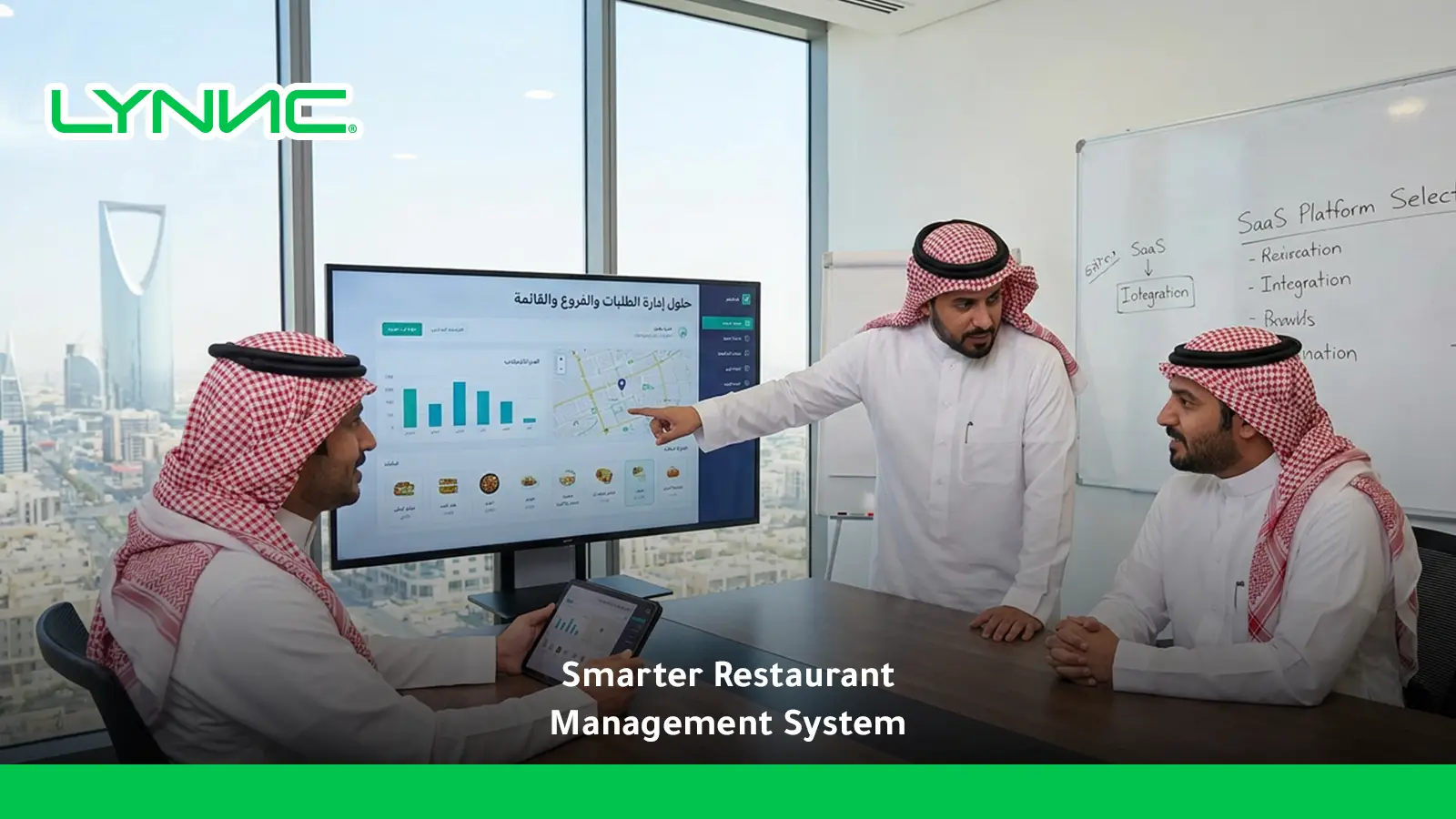
A LYNNC restaurant technology platform lets customers choose delivery, pickup, or dine-in while giving restaurants one place to manage menus, payments, fulfillment, branches, and order routing. The best systems connect digital orders with POS and kitchen workflows, keep availability accurate, and adapt timing, staffing, and customer communication to each fulfillment method. This creates smoother operations, clearer reporting, and a more consistent customer experience across every ordering channel and location daily.
What Is a Restaurant Online Ordering System?
1. Customer-Facing Ordering Platform
Adirect online ordering is a digital interface that allows customers to browse a menu, customise items, choose a fulfilment method, place an order, and complete payment from a website, app, or QR-based ordering page.
Modern platforms can support several service models from the same menu, including delivery, pickup, curbside collection, and dine-in ordering. GloriaFood, Square, Olo, and other restaurant platforms document support for multiple fulfilment modes within digital ordering.
2. Operational Order Management Layer
Behind the customer interface, the system passes order information into the restaurant's operational workflow. Integrated platforms can connect online food ordering with POS, kitchen displays, payments, menu availability, and fulfilment settings.
This reduces the need to manually recreate digital orders and helps the kitchen understand whether an order is for delivery, pickup, curbside collection, or another supported handoff method.
3. Fulfilment Control System
A restaurant online ordering system also defines what happens after checkout. Delivery requires dispatch, pickup needs an accurate collection time, and dine-in ordering needs table or service-location context.
The strongest systems therefore manage more than transactions. They connect each order with the correct location, menu, service hours, preparation workflow, and customer handoff.
Delivery Orders
Delivery extends the restaurant beyond its physical location, but it also introduces more operational steps than pickup or dine-in. The restaurant online ordering system needs to coordinate preparation, dispatch, delivery coverage, and customer communication.
- Delivery Zones: Define the locations or postcodes each branch can serve so customers cannot place orders outside the restaurant's practical delivery area.
- Delivery Timing: Preparation estimates should account for kitchen workload as well as driver dispatch and travel.
- Fulfilment Model: Restaurant delivery can use the restaurant's own fleet, an on-demand courier network, or a third-party delivery partner.
- Menu Suitability: Products offered for delivery should maintain acceptable quality during packing and transportation.
- Order Tracking: Customers benefit from clear updates as an order moves from confirmation to preparation, dispatch, and completion.
- Branch Selection: Multi-location restaurants need routing rules that send the order to a branch capable of serving the customer's delivery address.
- Capacity Control: Delivery slots or preparation times may need to change when kitchen or driver capacity becomes constrained.
National Restaurant Association research shows delivery remains an important off-premises behaviour, while speed, intuitive ordering technology, service, value, and loyalty influence repeat off-premises purchases.
Pickup Orders
Pickup removes the last-mile delivery requirement while preserving the convenience of online ordering. The main operational challenge is getting the food ready at the right time without making customers wait or allowing orders to sit too long.
- Collection Method: Customers may collect orders from the counter, a dedicated pickup shelf, drive-thru, or curbside location.
- Scheduled Pickup: A restaurant online ordering system should let operators control available collection windows according to kitchen capacity.
- Preparation Timing: The kitchen needs to work backwards from the promised collection time instead of preparing every future order immediately.
- Customer Notifications: A clear "ready for pickup" message reduces uncertainty and unnecessary waiting.
- Curbside Instructions: Where curbside is offered, customers need straightforward guidance on where to park and how to tell the restaurant they have arrived.
- Order Identification: Names, order numbers, vehicle details, or other handoff identifiers help employees give the correct order to the correct customer.
- Pickup Menu Rules: Restaurants can choose whether pickup uses the full menu or a more focused selection.
Toast currently supports pickup, curbside, delivery, and drive-thru fulfilment options within its online-ordering environment, while Olo supports pickup, delivery, curbside, and other handoff modes.
Dine-In Orders
Digital dine-in ordering allows customers already inside the restaurant to use a phone or another digital interface to browse, order, and sometimes pay without relying on a traditional ordering sequence.
- Table Identification: QR codes can be linked with individual tables or ordering locations so the restaurant online ordering system knows where the order belongs.
- Direct Ordering: Customers can select dishes, modifiers, and additional items from their phones.
- POS and Kitchen Routing: Connected dine-in orders can flow into POS and kitchen workflows rather than appearing on an isolated device.
- Repeat Ordering: Guests can place additional drink, side, or dessert orders without waiting for a server to return.
- Mobile Payment: Supported systems can allow customers to settle the transaction from their phones.
- Staff Role: Digital ordering can reduce routine order-taking while leaving employees available for hospitality, recommendations, food delivery, and exceptions.
- Customer Choice: Restaurants should still consider customers who prefer staff-assisted service.
Square's QR ordering maps QR codes to tables or other locations and sends orders to POS and kitchen printers. LYNNC also states that its QR ordering integrates mobile ordering and payments with POS operations.
Delivery vs Pickup vs Dine-In: Operational Comparison
Cost
- Delivery: Usually introduces the most fulfilment variables because the restaurant must account for packaging, dispatch, driver economics, and potentially third-party service costs.
- Pickup: Removes last-mile delivery, making it operationally simpler once preparation and collection are coordinated.
- Dine-In: Avoids delivery costs but requires physical space, front-of-house labour, cleaning, and table management.
- System Role: A restaurant online ordering system should separate these cost structures so management can compare each fulfilment method accurately rather than treating all digital orders as economically identical.
Fulfillment Time
- Delivery: Total fulfilment includes kitchen preparation, driver assignment, pickup, and travel.
- Pickup: The main target is synchronising food readiness with the customer's arrival.
- Dine-In: Service time depends heavily on how quickly the order enters the kitchen and how efficiently completed dishes reach the table.
- Capacity Rules: Platforms such as Olo support order throttling and configurable capacity controls because the fastest ordering interface cannot compensate for an overloaded kitchen.
Staff Requirements
- Delivery: Staff may need to manage packing, handoff to drivers, dispatch exceptions, and order-status issues.
- Pickup: Employees need a reliable staging and collection process, especially during peak periods.
- Dine-In: Floor staff remain important for hospitality even where digital ordering reduces routine order-taking.
- Centralisation: A connected restaurant online ordering system can reduce duplicate order entry and allow teams to focus more on fulfilment.
Square, Toast, and SpotOn all document restaurant workflows that connect online or digital orders with POS and operational systems rather than keeping them separate.
Customer Convenience
- Delivery: Provides maximum location convenience because customers do not need to travel.
- Pickup: Gives customers more control over collection while avoiding delivery waiting or delivery-related costs.
- Dine-In: Digital ordering can reduce time spent waiting to place another order or request payment.
- Customer Choice: The best customer experience comes from making each fulfilment option clear before checkout, including expected timing, location, charges, and handoff instructions.
The National Restaurant Association identifies speed, intuitive ordering and payment technology, customer service, value, and loyalty as important elements of repeat off-premises business.
Managing Multiple Fulfillment Options From One Dashboard
Running delivery, pickup, and dine-in separately can create duplicate menus, inconsistent availability, and fragmented reporting. A restaurant online ordering system becomes more valuable when the fulfilment methods share a central operating environment.
The most useful controls include:
Central Menu and Availability Management
- Shared Products: Maintain one core catalogue instead of recreating the same items for every fulfilment method.
- Service-Specific Visibility: An item can remain available for dine-in while being hidden from delivery if it does not travel well.
- Real-Time Availability: Sold-out products should disappear from relevant digital ordering channels quickly.
- Modifier Consistency: Sizes, extras, and required selections should remain correctly mapped to the core product.
- Operational Benefit: The restaurant online ordering system reduces conflicting menu information while preserving appropriate differences between fulfilment types.
Toast and Square both document connected menu and ordering workflows where fulfilment settings, digital orders, POS, and kitchen operations can work together.
Fulfillment Rules and Capacity
- Service Hours: Delivery, pickup, and dine-in ordering can have different operating windows.
- Preparation Windows: Pickup schedules should reflect realistic kitchen capacity.
- Delivery Zones: Each location should only accept addresses it can actually serve.
- Order Throttling: High demand may require longer quoted times or temporary capacity controls.
- Curbside Settings: Pickup instructions and arrival workflows should remain specific to the handoff method.
DoorDash recommends configuring delivery zones, pickup options, menu settings, and kitchen capacity when launching direct online ordering.
One Order Queue With Clear Source Labels
- Order Source: Employees should immediately know whether a ticket is delivery, pickup, curbside, dine-in, or another supported service type.
- Customer Timing: Scheduled orders should remain separate from immediate transactions.
- Handoff Status: The dashboard should distinguish preparing, ready, dispatched, collected, and completed orders.
- Exception Visibility: Late, cancelled, rejected, or failed orders should be easy to identify.
This is where restaurant management system functionality becomes important: managing fulfilment requires the ordering channel to connect with kitchen, branch, menu, payment, and reporting workflows.
Order Routing Across Restaurant Branches
Multi-location online food ordering adds another decision before preparation begins: which branch should receive the order?
A good routing process should select an eligible branch based on service conditions, not simply send every order to the geographically nearest restaurant. The main routing stages are:
Identify the Fulfillment Context
- Delivery Address: Determine which branch delivery zones include the customer's location.
- Pickup Selection: Use the branch selected by the customer or offer eligible pickup locations.
- Dine-In Location: Associate QR or digital dine-in orders with the branch and table where the customer is physically located.
- Service Type: The restaurant online ordering system must preserve whether the order is delivery, pickup, curbside, or dine-in before routing it.
Check Branch Eligibility
- Opening Hours: Confirm that the location is open for the requested fulfilment method.
- Menu Availability: Ensure that the branch sells the products already in the customer's basket.
- Service Availability: A restaurant may be open for dine-in while delivery is temporarily unavailable.
- Delivery Coverage: A nearby location may still fall outside the configured delivery zone.
- Operational Status: Offline or paused locations should not receive new digital orders.
Route the Order to the Best Location
- Location Mapping: Link the order to the correct branch ID before it reaches POS.
- Local Menu: Preserve branch-specific prices, products, and modifiers.
- Kitchen Routing: Send the transaction into the correct location's operational queue.
- Status Synchronisation: Return preparation and fulfilment updates to the central dashboard.
LYNNC's current branch-management documentation specifically notes that the nearest branch is not always the best fulfilment location; delivery zones, hours, product availability, kitchen load, and service type can all affect routing.
Handle Routing Exceptions
- Unavailable Product: Give the customer a clear alternative instead of silently transferring the order to an unsuitable location.
- Branch Overload: Capacity rules can prevent an already overwhelmed kitchen from receiving more demand.
- Closed Location: Redirect customers only to branches that can fulfil the selected service.
- Integration Failure: Management should be alerted if the central system receives an order but the destination POS does not.
For multi-location restaurants, branch routing is therefore part of fulfilment design rather than a simple postcode lookup.
Customer Experience Considerations
Offering more fulfilment methods creates more choice, but it can also create confusion if the customer does not understand where, when, or how an order will be received.
A restaurant online ordering system should therefore make the fulfilment decision easy before the customer reaches checkout. The most important experience factors are:
Make Fulfillment Choices Clear
- Separate Options: Clearly label Delivery, Pickup, Curbside, and Dine-In where applicable.
- Show Availability Early: Do not let customers build a basket before discovering that their preferred service is unavailable.
- Explain Charges: Display delivery fees, minimum orders, or other fulfilment-specific conditions before final payment.
- Preserve Context: Once a customer chooses a branch and fulfilment type, the system should not unexpectedly reset those choices.
Give Realistic Timing
- Delivery Estimates: Include both preparation and fulfilment expectations.
- Pickup Windows: Give customers a realistic collection time rather than a generic promise.
- Scheduled Orders: Allow future time selection only where the restaurant can operationally support it.
- Capacity Adjustments: Increase quoted times when demand exceeds normal kitchen throughput.
Keep Customers Updated
- Order Confirmation: Immediately confirm that the restaurant received the transaction.
- Preparation Updates: Inform the customer when meaningful status information is available.
- Pickup Notification: Clearly state when the order is ready.
- Delivery Tracking: Provide dispatch or courier updates where the fulfilment system supports them.
- Exception Communication: Notify customers quickly when an item, branch, payment, or delivery problem affects the order.
Design for Each Service Model
- Delivery: Prioritise address accuracy, delivery estimates, suitable products, and status visibility.
- Pickup: Prioritise location information, parking or counter instructions, and readiness.
- Dine-In: Prioritise easy menu navigation, table context, modifiers, and quick additional ordering.
- Consistent Brand: The customer experience should still feel like the same restaurant regardless of the fulfilment method.
The Olo platform emphasises multiple handoff modes, order throttling, and capacity controls, while TouchBistro and GloriaFood both support direct pickup and delivery workflows.
How LYNNC Supports Multiple Fulfillment Methods
LYNNC currently offers Web Ordering, QR Ordering, Order Management, Digital Menus, Fleet Management, and POS/delivery-platform integrations within its restaurant technology environment. Its official site describes Web Ordering as supporting delivery, pickup, and dine-in ordering.
For a restaurant managing several fulfilment methods, the relevant capabilities include:
Web Ordering for Delivery and Pickup
- Direct Digital Ordering: Customers can place food orders through the restaurant's web-ordering environment.
- Fulfilment Choice: LYNNC's current platform describes Web Ordering with delivery, pickup, or dine-in options.
- Connected Operations: Direct ordering can operate alongside the broader order-management environment rather than as an isolated storefront.
- Multi-Channel Role: A restaurant online ordering system is more useful when direct web orders and other digital channels can be managed within a connected operation.
QR Ordering for Dine-In
- Menu Access: Customers scan a QR code to reach the digital ordering interface.
- Direct Orders: Guests can order from their own mobile devices.
- Digital Payments: LYNNC lists mobile payments as part of its QR workflow.
- POS Integration: QR transactions can synchronise with POS operations.
This allows the same broader restaurant technology environment to support customers ordering inside the restaurant as well as away from it.
Centralised Order Management
- Real-Time Tracking: LYNNC states that orders can be monitored from receipt through fulfilment.
- Central Item Control: Products, descriptions, images, and prices can be managed from the dashboard for supported connected channels.
- Operating Hours: Stores can define working hours and stop orders outside available periods.
- Branch Reports: Sales, orders, and branch performance can be viewed centrally.
Multi-Branch Routing and Control
- Branch Context: Incoming orders need to remain linked with the correct restaurant location.
- Local Rules: Delivery zones, service hours, menus, prices, and availability can vary by branch.
- Central Visibility: Management can see the wider operation while branches retain local fulfilment rules.
- Routing Logic: LYNNC's branch-management guidance evaluates service type, location eligibility, availability, and operational readiness before orders enter branch workflows.
These capabilities connect naturally with Web Ordering Store requirements because a customer-facing store must connect its delivery, pickup, and dine-in choices with the actual branch capable of fulfilling them.
Restaurants evaluating multiple fulfilment methods can review LYNNC's Web Ordering, QR Ordering, Order Management, and multi-branch capabilities to determine how the platform fits their current POS, locations, delivery model, and digital channels.
Delivery vs Pickup vs Dine-In
related guide: Payment Gateway Integration for Restaurant Online Stores
Restaurant Online Ordering System FAQs
How do I configure my online store to handle both curbside pickup and delivery smoothly?
Configure pickup and delivery as separate fulfilment methods inside the restaurant online ordering system rather than treating them as one generic off-premises option.
For curbside pickup, define participating locations, collection windows, parking or arrival instructions, preparation lead times, customer notifications, and a process for telling staff when the customer has arrived. Square, for example, supports in-store and curbside pickup together with configurable fulfilment windows and schedules.
For delivery, configure delivery zones, service hours, minimum-order rules where appropriate, preparation timing, delivery fees, driver or courier fulfilment, and order-status communication.
Finally, test both journeys separately from checkout to handoff. The same Online Ordering Store can offer both options, but each needs its own timing and fulfilment rules.
Can one restaurant online ordering system support delivery, pickup, and dine-in?
Yes. Several current platforms support combinations of these fulfilment methods. Square supports pickup, delivery, and QR dine-in ordering; GloriaFood describes delivery, takeaway, and dine-in in one platform; LYNNC's current Web Ordering description also includes delivery, pickup, and dine-in.
The more important question is whether those channels connect properly with POS, kitchen operations, menus, branch routing, and reporting.
Should delivery, pickup, and dine-in use the same menu?
They can share the same core product catalogue, but they do not always need identical availability.
A restaurant online ordering system should allow restaurants to hide unsuitable delivery items, apply branch-specific availability, or adjust fulfilment-specific choices without creating completely disconnected menu databases.
How should a multi-branch restaurant route online orders?
The system should first identify the fulfilment method, then check branch eligibility using factors such as customer location, delivery zones, service hours, menu availability, and operating status.
The closest branch should not automatically receive every order if another eligible location is better positioned to fulfil it.
What should restaurants measure across different fulfilment methods?
Track order volume, average order value, preparation time, late-order rate, cancellation rate, fulfilment accuracy, customer feedback, and channel-specific profitability.
Delivery should also include dispatch and delivery performance, pickup should track readiness and handoff timing, and dine-in should focus more heavily on service speed and table experience.