


Store hours sync across delivery apps keeps each restaurant location open, closed, or temporarily unavailable at the correct times across connected ordering channels. Automated synchronization reduces manual updates, prevents orders outside business hours, supports holiday schedules, and gives operations teams one source of truth for branch availability. This guide explains why hours drift, how automated sync works, where order management systems fit, and how LYNNC centralizes delivery app settings centrally.
What Is Store Hours Sync?
Operational Definition
Store hours sync across delivery apps means managing when a restaurant can accept digital orders from one controlled schedule instead of updating each channel separately.
The aim is to make the restaurant orderable only when the relevant branch and fulfilment service are actually available.
Technical Definition
Technically, store hours sync across delivery apps transfers regular hours, temporary closures, or supported schedule changes between a central restaurant system and connected ordering channels.
The synchronization may use APIs, integration middleware, or platform-specific connectors to keep branch availability aligned.
Order Management Definition
From an order-management perspective, hours are an eligibility rule.
An order management system should confirm that the chosen branch is available for the requested service period before allowing or routing an order into the operational workflow.
Multi-Branch Definition
For restaurant groups, store hours sync across delivery apps means keeping each location's schedule separate while managing those schedules through one operational structure.
One branch may close earlier, pause delivery, or operate special hours without forcing the same change across every location. This branch-level flexibility is part of effective restaurant branch management across multi-location operations.
Why Delivery App Operating Hours Become Inconsistent
- Separate channel settings: Every delivery app may maintain its own operating-hours configuration, creating several copies of the same schedule. For a broader channel-control workflow, see delivery app management for centralized order and availability control.
- Manual updates: A manager may change one platform and forget another, leaving the restaurant open on one channel and closed on another.
- Different service hours: Dine-in, pickup, first-party delivery, and third-party delivery do not always operate on the same schedule. Current restaurant-ordering documentation commonly treats these schedules separately.
- Branch-level variation: Multi-location restaurants can have different opening times, delivery hours, or local service rules for each site.
- Holiday overrides: Regular weekly hours may remain correct while a public holiday or special event requires a temporary exception. Major business-location systems therefore distinguish regular hours from special hours.
- Forgotten temporary closures: A store may pause ordering during maintenance, equipment failure, or kitchen overload but remain active elsewhere.
- Different time-based menus: Breakfast, lunch, dinner, or late-night menus may have availability windows that do not exactly match the restaurant's full business hours.
- Future-order settings: Scheduled orders can create additional rules around when customers can order versus when the order can actually be fulfilled.
- Configuration dependencies: Some ordering environments require location, fulfilment, menu, or dining-option settings to be correctly configured before online hours behave as expected.
- Propagation delays or failures: A schedule may be correct in the source system but fail to update one connected channel, leaving inconsistent availability.
Manual Store Hours Updates vs Automated Sync
How Automatic Store Hours Sync Works
Establish a Source of Truth
Store hours sync across delivery apps starts with one authoritative schedule for each restaurant location.
- Regular weekly hours: Define the standard availability pattern for each day.
- Service-specific hours: Keep delivery or pickup hours separate where they differ from general restaurant hours.
- Branch ownership: Associate each schedule with the correct restaurant location.
- Time zone: Ensure the branch schedule is interpreted using the correct local time.
A central schedule should not assume every service uses the same hours. Restaurant platforms commonly allow delivery and pickup schedules to differ from standard location hours.
Apply Channel Rules
Store hours sync across delivery apps then translates the central schedule into the availability rules required by each supported ordering channel.
- Open state: Allow ordering during approved service periods.
- Closed state: Stop new orders outside configured times.
- Multiple intervals: Support split trading periods where the restaurant closes and reopens on the same day.
- Channel differences: Preserve legitimate differences where one service closes earlier than another.
- Future ordering: Apply separate scheduling or cutoff rules where customers can order ahead.
Publish Schedule Changes
Once approved, schedule updates are sent to connected platforms.
- Central update: Operations changes the schedule once.
- Connector processing: The integration translates the schedule into the format required by each supported channel.
- Location matching: The update is sent to the correct external store or branch ID.
- Schedule replacement: Current hours are replaced or supplemented by temporary rules where supported.
- Timestamping: A change history helps teams understand which schedule was last published.
Programmatic business-information tools also model regular and special hours as separate structured fields, which reflects why integrations need to distinguish permanent schedules from exceptions.
Confirm Synchronization
Store hours sync across delivery apps should not treat “update sent” as proof that every channel is correct.
- Channel acknowledgement: Record whether the connected platform accepted the update.
- Failure detection: Surface rejected or failed schedule updates.
- Branch validation: Confirm that the intended restaurant location received the change.
- Status check: Verify whether the store is currently orderable when it should be.
- Retry logic: Temporary failures should be retried according to defined integration rules.
Monitor Availability
Automation still needs operational visibility.
- Unexpectedly open: Flag branches accepting orders outside approved hours.
- Unexpectedly closed: Detect stores that remain unavailable during scheduled trading.
- Schedule mismatch: Highlight channels showing a different state from the central rule.
- Repeated failures: Escalate branches or channels with recurring synchronization problems.
- Manual overrides: Record emergency changes so they do not become invisible permanent settings.
Problems Caused by Incorrect Operating Hours
Orders Outside Business Hours
Store hours sync across delivery apps protects restaurants from accepting orders when the kitchen or fulfilment team is no longer available.
- Closed kitchen: An order may arrive after food production has stopped.
- No staff coverage: The digital channel can remain active after the responsible team has left.
- Unavailable fulfilment: Delivery may close earlier than dine-in service.
- Delayed detection: Staff may only discover the order when the customer contacts the restaurant.
- Operational confusion: An order can appear valid digitally while being impossible to fulfil physically.
Current restaurant ordering systems explicitly support separate online-ordering schedules and closing behaviour because customer-facing ordering availability may differ from physical restaurant hours.
Cancellations
Incorrect hours turn a configuration problem into an order-management problem.
- Forced rejection: Staff may need to cancel a valid customer order because the restaurant should have appeared closed.
- Wasted payment effort: Customers may complete checkout before learning that fulfilment is unavailable.
- Refund workload: Unnecessary cancellations can create additional financial and customer-service tasks.
- Distorted reporting: Cancellation rates rise for reasons unrelated to genuine customer demand.
- Channel performance impact: Repeated inability to fulfil accepted orders can damage operational performance on delivery channels.
Accurate opening hours are specifically recommended in delivery-platform guidance to reduce rejected orders and protect customer trust and ratings.
Customer Complaints
Store hours sync across delivery apps also protects the customer's expectation before the order begins.
- False availability: Customers assume an orderable restaurant can fulfil the purchase.
- Unexpected cancellation: Receiving a cancellation after checkout creates more frustration than seeing the store correctly marked closed.
- Late fulfilment: Staff may try to rescue an after-hours order, producing unusually slow service.
- Inconsistent information: Different hours across apps make the brand appear poorly managed.
- Reduced trust: Repeated schedule errors can discourage customers from ordering again.
Managing Holiday and Special Hours
Keep Regular and Special Hours Separate
Store hours sync across delivery apps should not overwrite the restaurant's standard weekly schedule every time a temporary change occurs.
- Regular schedule: Preserve the normal operating week.
- Special-date override: Apply different hours only to the affected date.
- Full-day closure: Mark the restaurant unavailable for the entire special day where needed.
- Temporary extension: Extend service for a specific event without changing future weeks.
- Automatic expiry: The regular schedule should resume after the exception period.
Special-hours frameworks are specifically designed for holidays, temporary changes, and exceptional operating dates without changing permanent business hours.
Plan Holiday Hours Early
- Create the calendar: Record known holidays and events before operations teams become busy.
- Confirm branch participation: Not every location needs to follow the same holiday schedule.
- Check delivery separately: A restaurant may open physically while digital delivery operates shorter hours.
- Publish in advance: Allow time to detect synchronization failures before the date arrives.
- Review the next day: Make sure the restaurant returns to normal hours automatically.
Support Split Operating Periods
A single day does not always contain one continuous opening period.
- Morning and evening service: A branch may close between service periods.
- Breakfast-only menus: Individual menus can have narrower windows than store hours.
- Late-night operations: Closing times that cross midnight need correct day-boundary handling.
- Channel cutoffs: Online ordering may stop before the physical restaurant closes.
Several current scheduling systems support multiple time intervals and separate menu or fulfilment hours for these use cases.
Handle Emergency Closures Separately
Holiday schedules are planned; emergencies are not.
- Kitchen failure: Temporarily stop new orders if critical equipment fails.
- Staff shortage: Reduce or pause channels if the branch cannot maintain service.
- Extreme demand: Temporarily stop ordering rather than accepting an unmanageable queue.
- Network problem: Avoid presenting the branch as available when orders cannot reach its systems.
- Reopening check: Restore service only after the operational problem is resolved.
How Store Hours Sync Connects With Order Management Systems
Branch Eligibility
Store hours sync across delivery apps gives the order management system one of the first rules needed to decide whether a branch can accept an order.
- Open now: Confirm the location is inside its service window.
- Correct fulfilment mode: Delivery availability may differ from pickup.
- Branch status: Combine schedule data with temporary operational status.
- Customer context: Check whether the requested time falls inside the branch's allowed window.
- Routing: Remove closed branches from eligible fulfilment options.
Hours are only one part of branch eligibility. Location routing can also depend on delivery zones, local availability, service type, and operational status. For the wider routing context, review multi branch restaurant management for orders.
Automatic Order Acceptance
Store hours sync across delivery apps can work alongside automatic order acceptance so automation happens only when the store is meant to receive orders.
- Within schedule: Eligible incoming orders can continue into normal processing.
- Outside schedule: New orders should be blocked before reaching the operational queue.
- Temporary pause: An emergency store status can override the normal schedule.
- Recovery: When the branch reopens, order acceptance can return according to the approved settings.
LYNNC's Order Management currently combines automatic order acceptance, real-time order tracking, and smart store management that can set working hours and stop orders outside business times.
Restaurants looking to bring those functions together can evaluate Delivery Orders Management System as the operational layer between delivery channels and restaurant execution.
Menu Availability
Hours should also connect with what customers can order.
- Menu window: A lunch menu should not automatically remain orderable during breakfast.
- Branch-specific menu: Different locations may expose different products at the same time.
- Item availability: A branch can be open while a specific item is unavailable.
- Time-based products: Specials can appear only within approved hours.
- Channel eligibility: A product may be available in-store but not on every digital channel.
Modern restaurant systems increasingly separate store availability, menu hours, item availability, and sales-channel assignment because these are related but not identical controls.
Operational Overrides
An order management system should distinguish planned hours from live operating conditions.
- Scheduled opening: What the branch is normally expected to do.
- Temporary pause: What the branch can handle right now.
- Capacity control: Reduce ordering availability when kitchens become overloaded.
- Manual intervention: Let authorised teams pause or reopen a store during exceptions.
- Audit history: Keep track of why an override was applied.
A centralized delivery-management environment can combine scheduled store availability with emergency pauses or capacity controls.
Reporting and Exceptions
Store hours sync across delivery apps should create operational evidence, not merely send settings.
- Missed trading time: Identify a branch that remained closed during expected hours.
- After-hours orders: Detect channels that accepted orders outside the planned schedule.
- Synchronization failures: Track updates that did not reach their destination.
- Branch comparisons: Find locations with repeated availability problems.
- Root-cause analysis: Separate schedule issues from POS, menu, or order-routing failures.
How LYNNC Automates Delivery App Settings
Smart Store Management
LYNNC supports store hours sync across delivery apps through its Order Management environment.
- Working hours: Restaurant teams can define store operating times.
- Automatic closure: Orders can be stopped outside configured business hours.
- Central control: Store settings sit within the same operational environment used to manage orders.
- Reduced manual work: Teams do not need to treat order availability as a separate daily process.
These capabilities are stated directly within LYNNC's current Order Management product information.
For restaurants evaluating a wider centralized setup, restaurant software solutions from LYNNC combine order management with connected restaurant and delivery operations.
Centralized Delivery App Management
LYNNC can centralize supported delivery-app operations so store availability is managed in the same environment as orders and channel settings.
- Scheduled availability: Apply working-hour rules automatically.
- Emergency pauses: Stop incoming orders during operational exceptions.
- Unified dashboard: Reduce dependence on multiple local delivery tablets.
- Channel management: Keep digital-order operations visible in one place.
- Order continuity: Connect availability decisions with incoming-order management.
LYNNC's current delivery-app-management guidance includes scheduled operating hours, emergency pauses, centralized order handling, menu publishing, and availability management.
Central Item Management
Operating hours are more effective when item settings are also centrally controlled.
- Add items: Manage products through one dashboard.
- Edit information: Update descriptions, images, and prices.
- Hide products: Remove unavailable items from supported channels.
- Publish updates: Send approved changes across connected delivery apps.
- Restore availability: Return products when they become orderable again.
LYNNC states that item descriptions, images, and prices can be updated across connected delivery applications from its dashboard.
Multi-Branch Store Control
Store hours sync across delivery apps becomes especially valuable when restaurant groups manage different schedules across several locations.
- Location-specific hours: Each branch can retain the schedule it actually needs.
- Delivery-specific availability: Service settings do not need to copy dine-in hours blindly.
- Branch status: Operations teams can distinguish scheduled closure from temporary unavailability.
- Central visibility: Head office can manage common rules without removing local operating differences.
- Scalable governance: New branches can follow the same management framework while retaining their own schedule.
LYNNC's branch-management model explicitly keeps operating hours, delivery rules, menu availability, and local service conditions tied to individual branches within centralized control.
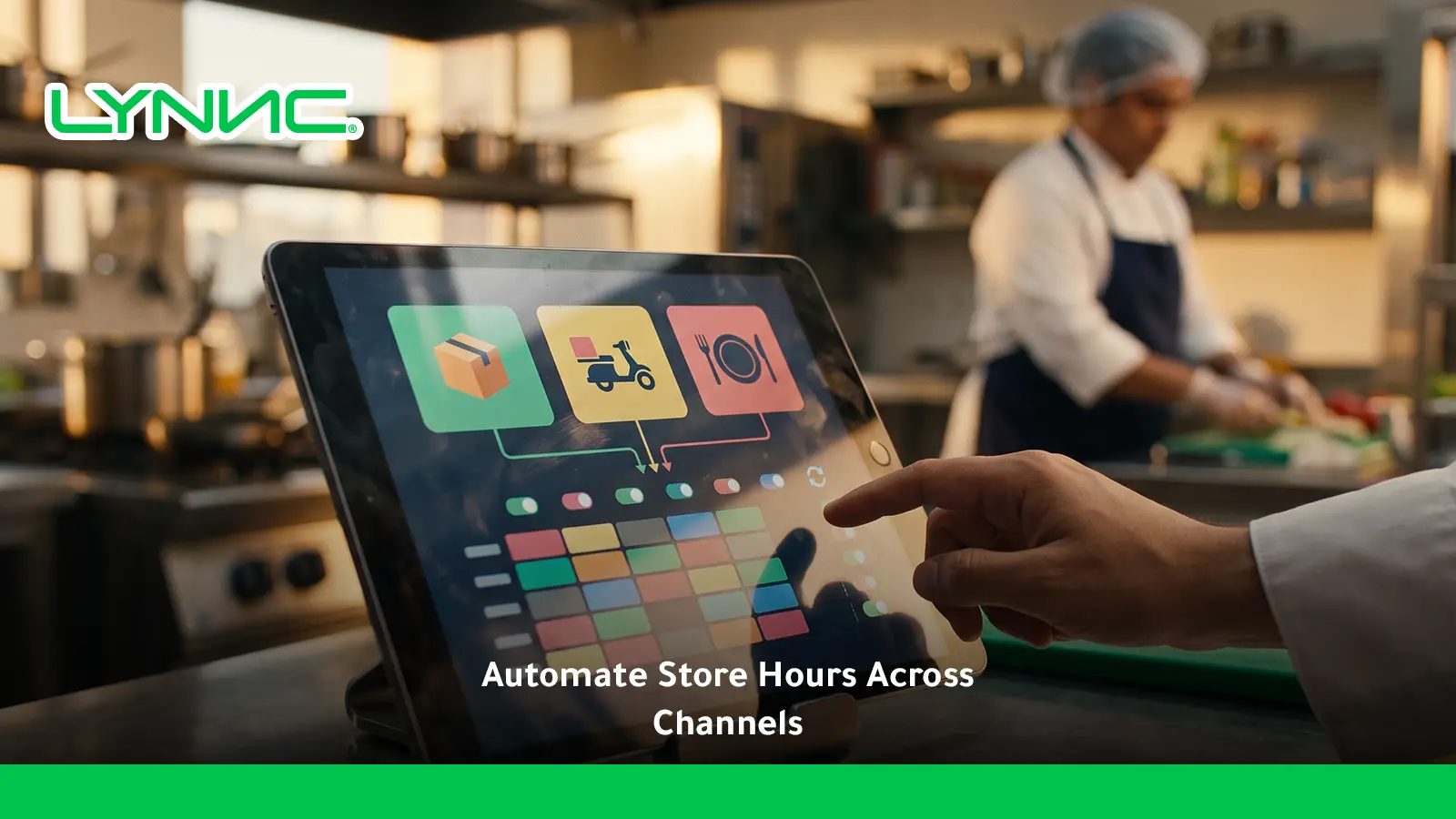
Common Questions About Store Hours Sync Across Delivery Apps
How does auto-syncing store hours protect your brand rating on delivery apps?
Store hours sync across delivery apps reduces the chance that customers place orders when a restaurant cannot fulfil them.
Correct availability means fewer avoidable rejections, cancellations, unexpected delays, and disappointed customers. Accurate operating hours are also identified in current delivery-platform documentation as a way to reduce unfulfillable orders and help protect customer trust and ratings.
Can delivery hours be different from restaurant opening hours?
Yes.
A restaurant may keep its dining room open while stopping delivery earlier, or it may offer pickup during a different schedule. Modern restaurant-ordering systems therefore allow fulfilment hours to be managed separately from general location hours.
Can each restaurant branch use different operating hours?
Yes.
Multi-branch businesses should maintain location-specific schedules because demand, local regulations, staffing, delivery capacity, and service models can differ. Centralized management should make those differences easier to control rather than forcing every location into identical hours.
How should restaurants manage holiday hours across delivery apps?
Use temporary date-specific schedules instead of editing the permanent weekly hours.
Set the exception in advance, confirm whether each branch is open or closed, verify delivery hours separately, and check that connected channels received the update. After the holiday, the normal weekly schedule should resume automatically where the integration supports it.
What happens if one delivery app fails to receive the new hours?
The central system should treat this as a synchronization exception.
Operations teams need visibility into the failed update, the affected location and channel, and whether a retry or manual correction is required. Automation is most reliable when publication status is monitored rather than assuming every sent update succeeded.
Should menu hours and store hours always be identical?
No.
A restaurant can be open while a breakfast menu, lunch menu, promotion, or individual category is unavailable. Store hours determine whether the location can receive orders; menu and item schedules determine what can be ordered during that period.
Can a restaurant temporarily pause orders without changing regular hours?
Yes, and this should normally be treated differently from changing the permanent schedule.
A temporary operational pause is useful for equipment failure, kitchen overload, staffing problems, or another short-term issue. The regular schedule remains intact so normal availability can resume after the problem is resolved.
Store hours sync across delivery apps becomes more important as a restaurant adds branches and ordering channels. Without centralized control, every additional location creates another set of regular hours, delivery windows, holiday exceptions, and temporary closures that staff must keep aligned manually.
The stronger operating model uses one controlled schedule for each location, keeps service-specific exceptions separate, monitors whether updates reach connected channels, and links store availability directly with order acceptance.
LYNNC brings working-hour management, automatic order stopping outside business times, centralized delivery-app operations, item management, and real-time order management into a shared environment.
For restaurants still changing opening hours separately across multiple delivery platforms, the next step is to map the current schedule for every branch and channel, identify which settings genuinely need to differ, and centralize the rest through Delivery Orders Management System.

