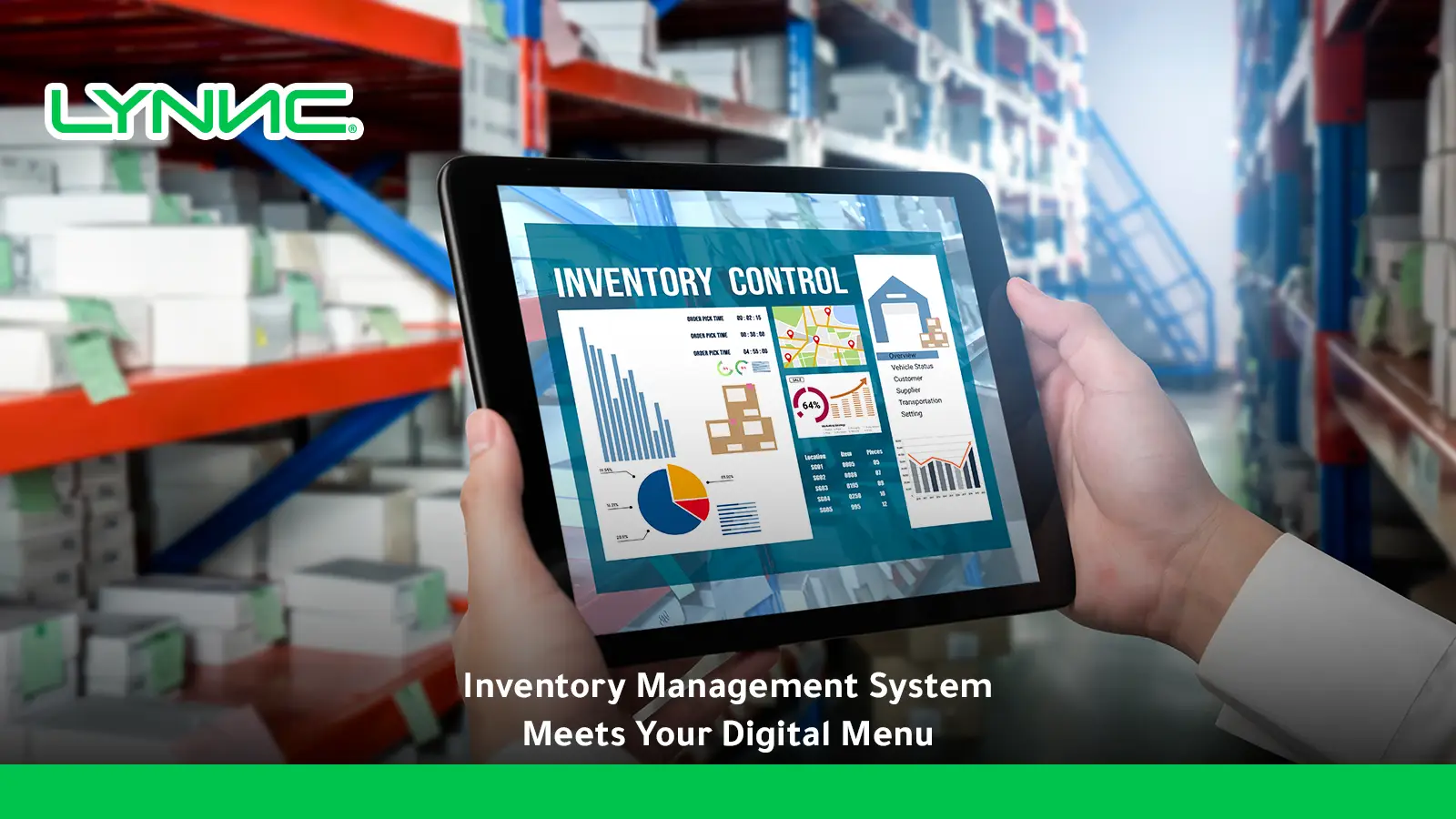
A restaurant inventory management system tracks the ingredients, beverages, supplies, and stock moving through a restaurant, but its value increases when that information connects with what customers can actually order.
Accurate stock data can support better purchasing, recipe costing, availability decisions, and fewer orders for products the kitchen cannot fulfill.
Key Takeaways
- Restaurant inventory starts at the ingredient level: Operators need visibility into what is purchased, received, stored, consumed, wasted, and physically remaining.
- Recipes connect stock with customer orders: A menu-item sale can translate into theoretical ingredient consumption when the recipe and quantities are mapped correctly.
- Stock and menu availability are different concepts: Having some of an ingredient remaining does not always mean every dish that uses it can continue to be sold.
- POS data is an important inventory signal: Sales records help calculate expected ingredient usage and compare theoretical consumption with physical inventory.
- Digital availability should reflect operational reality: Sold-out products should not remain orderable because one customer-facing channel failed to receive an update.
- Multi-branch inventory should remain location-specific: A stockout at one restaurant should not unnecessarily disable an item at every location.
- Actual-versus-theoretical analysis exposes hidden problems: Waste, over-portioning, unrecorded consumption, theft, and recipe errors can create inventory variance.
- Integration matters as much as counting: Inventory, POS, menu, and order systems need reliable product mapping and consistent data exchange.
What Is a Restaurant Inventory Management System?
A restaurant inventory management system is software that tracks the ingredients, beverages, supplies, and other stock a restaurant purchases, receives, stores, consumes, wastes, and sells so operators can understand what is available, what has been used, and what needs to be replenished.
Several inventory concepts need to be separated clearly:
- Physical Inventory: What staff actually count in storage.
- Theoretical Inventory: What should remain based on purchases, recipes, and recorded sales.
- Ingredient Inventory: Raw materials such as chicken, flour, milk, or packaging.
- Recipe Inventory Usage: The expected amount consumed every time a menu item is sold.
- Menu Availability: Whether customers are currently allowed to purchase a dish.
- Par Level: The target quantity operators want to maintain.
- Reorder Point: The stock level that signals replenishment may be needed.
- Waste: Inventory consumed without generating the expected sale.
- Variance: The difference between expected and actual usage.
These layers matter because a restaurant may record a successful customer sale in the POS while its inventory system needs to understand what ingredients that sale consumed.
For that reason, POS system integration is an important part of the inventory workflow. When order information flows correctly, it can automatically trigger the depletion of ingredients and recipes linked to the menu item based on historical sales and product-mix data.

How Does Restaurant Inventory Move From Receiving to Menu Availability?
1. Ingredients Are Purchased and Received
The inventory cycle begins before the food enters the kitchen with orders for meat, vegetables, dairy, beverages, dry goods, packaging, and cleaning supplies.
When a delivery arrives, staff must verify the product, quantity, unit, supplier, cost, condition, and receiving location because incorrect receiving creates inaccurate inventory before any dish is sold.
2. Quantities Enter Inventory and Connect to Recipes
Received stock increases the quantity recorded for the relevant branch. A menu item should be tied to the ingredients required to produce it.
For example, one chicken burger may consume 150 g of chicken, 1 bun, 20 g of cheese, 25 g of sauce, and 1 packaging unit for takeaway.
3. Recipes Are Connected to Menu Items
This is the bridge between inventory and sales. A menu item must be linked to inventory items or recipes so stock can be depleted when sales occur.
4. Customers Place Orders and Create Usage
Orders originate from the POS, website, QR ordering, or delivery applications.
If five burgers are sold, the system calculates expected consumption from the standardized recipe (5 burgers multiplied by 150 g equals 750 g of theoretical chicken usage).
5. Menu Availability Is Re-Evaluated and Channels Updated
Inventory is recalculated using sales and other movements. If an important ingredient is unavailable, one or several dishes may no longer be fulfillable.
Rules trigger alerts, replenishment, item disabling, or alternative suggestions, pushing the updated state to the digital menu, website, QR ordering, and delivery apps.
6. Replenishment Restores Availability
Once stock returns and the data is updated, previously unavailable items can be made orderable again.
The ideal operating cycle moves sequentially from receiving to inventory, recipes, sales, ingredient depletion, availability checks, and finally digital menu updates.
Ingredient Stock vs. Menu Item Availability: What Is the Difference?
| Concept | What It Represents | Example | Customer Impact |
|---|---|---|---|
| Ingredient Stock | Quantity of a raw material currently available | 8 kg chicken | Usually invisible to customer |
| Recipe Requirement | Quantity required to produce one dish | 200 g chicken | Determines potential portions |
| Theoretical Inventory | Quantity expected after recorded usage | 5.4 kg | Internal planning signal |
| Actual Inventory | Quantity physically counted | 4.8 kg | Reveals discrepancies |
| Menu Availability | Whether the dish can currently be ordered | Chicken meal available | Direct customer impact |
| Low-Stock Status | Inventory approaching a defined limit | Six portions estimated | May trigger action |
| Sold-Out Status | Dish currently cannot be fulfilled | Chicken meal unavailable | Item should not be orderable |
This distinction matters because stock quantity does not equal menu availability on a one-to-one basis.
Suppose a restaurant has 1 kg of chicken remaining, which supports a chicken burger (150 g), chicken pasta (200 g), chicken salad (120 g), and chicken wrap (180 g).
All four products compete for the same ingredient, requiring demand context to understand customer-facing availability rather than simply seeing "1 kg in stock."
How Do Recipes Turn Menu Sales Into Inventory Depletion?
- Connect Each Product With a Standard Recipe: Standardize what the kitchen uses for one sale to connect inventory, POS sales, and menu economics.
- Define Quantities and Units: Avoid vague measures; define exact amounts (chicken breast: 150 g) and establish reliable conversions between units like kilograms, grams, boxes, and pieces.
- Account for Yield: Purchase quantity differs from usable quantity due to trimming, peeling, cooking, and bone removal. Ignoring yield distorts costs and available portions.
- Map Sizes and Modifiers Correctly: Small, medium, and large menu levels can consume different quantities of the same linked recipe. Modifiers like extra cheese or double patties change stock usage and can increase actual food cost if unmanaged.
- Consider Order Type: Dine-in versus takeaway orders can consume different inventory items such as paper cups and lids for the same base drink.
- Compare Against Physical Counts: Theoretical stock must periodically be compared with real physical counts. Actual versus theoretical analysis compares expected quantities against actual inventory to identify potential waste, theft, or over-portioning.
How Should Stock Changes Update a Digital Menu?
- Define Which System Owns Inventory: Establish a single source of truth between the POS, inventory platform, ERP, or restaurant management system to prevent conflicting stock states.
- Maintain Reliable Product Mapping: Ensure a SKU or product ID does not become three unrelated products across the POS, website, and delivery apps.
- Translate Stock State Into Menu State: The customer does not need to see technical inventory thresholds; they need to know whether an item like the Chicken Burger is available.
- Update the Digital Menu: Price and availability updates must be reflected across connected platforms. This is where a digital menu system becomes relevant: stock information creates value for customers only when the ordering interface accurately reflects what the restaurant can fulfill.
- Block Unfulfillable Orders: A sold-out dish remaining orderable causes customer disappointment, manual phone calls, forced substitutions, cancellations, and staff time waste.
- Keep Branch Availability Separate: A product sold out in Riyadh Branch A should not automatically be disabled in Riyadh Branch B.
How Do Menu Management and Order Management Stay Synchronized?
Menu management determines what the customer sees and selects, while an order management system handles what happens after the selection. The connection between them must remain perfectly consistent.
Menu Management Controls
- Customer-Facing Details: Product names, categories, descriptions, and images.
- Purchasing Rules: Prices, modifiers, availability, and branch visibility.
Order Management Controls
- Post-Selection Data: Order source, product quantities, and branch routing.
- Fulfillment Tracking: Acceptance, status updates, cancellations, and final fulfillment.
The Synchronization Journey
A simplified journey progresses smoothly when systems are aligned:
- Menu Product: The customer views the accurate, synced menu item.
- Customer Selection: The item is added to the cart with proper modifiers.
- The Order: The structured data is transmitted.
- POS or Kitchen: The kitchen receives the exact product definitions the customer saw.
- The Sale and Inventory Consumption: The fulfilled order depletes the theoretical stock.
- Updated Menu Availability: The system updates the menu instantly if stock runs out.
Preventing Operational Risks
Incoming orders should use the exact same product definitions customers saw while ordering.
ALYNNC for restaurant technology is especially relevant when a restaurant uses several digital ordering channels and wants menu, product, and order information to remain connected instead of being managed independently on every app.
The biggest operational risk is inconsistency: where inventory shows as sold out, but the digital menu shows it as available, allowing the order system to accept orders the kitchen cannot prepare.
How Should Multi-Branch Restaurants Handle Location-Level Stock?
- Track Inventory by Location: Stock should reflect the physical site where it exists (branch, central kitchen, warehouse, cloud kitchen).
- Keep Availability Branch-Specific: If mozzarella runs out in Jeddah, a Riyadh branch with sufficient stock should not lose its pizza menu.
- Use Shared Recipes and Local Inventory: Standardize recipes across branches while maintaining separate physical inventory quantities, usage, waste, and variance tracking for each site.
- Control Stock Transfers Separately: Movement between branches must decrease inventory at one location and increase it at another rather than registering as a normal sale.
- Include Central Kitchen Inventory: Restaurants operating central production need visibility into both central stock and branch stock to account for replenishment timelines.
How Can Low Stock, Overstock, and Waste Trigger Better Menu Decisions?
Inventory data should not only answer what is available, but also guide operational responses:
- Low Stock: Replenish sooner, reduce promotions, temporarily disable items, or shift demand toward alternatives.
- Overstock & Slow-Moving Inventory: Feature related dishes, build bundles, run controlled promotions, or adjust future purchasing and menu placement.
- Perishable Inventory & High Waste: Act faster on items nearing the end of usable life to avoid waste, or investigate deeper issues like poor forecasting, weak storage, or over-portioning.
Pricing is one possible lever, but it should not become an automatic response to every inventory problem. A dedicated AI Dynamic Pricing solution explicitly positions inventory efficiency and stock turnover alongside demand and market data.
The stronger decision model evaluates the inventory signal, identifies the core cause, and chooses the correct operational response, rather than detecting an inventory signal and automatically changing the price.
Where Does Inventory-to-Menu Synchronization Break?
- Incorrect Recipe Mapping: A dish consumes the wrong ingredients in the system.
- Missing Modifier Consumption: Extras are sold without increasing theoretical usage.
- Unit Conversion Errors: Grams, kilograms, pieces, packs, and cases are mapped incorrectly.
- Outdated Inventory Counts: The system's available stock no longer reflects reality.
- Unrecorded Waste & Staff Meals: Spoiled stock or employee meals leave inventory without a corresponding transaction.
- Receiving Delays: Stock physically arrives before it is recorded digitally.
- Incorrect Branch Mapping: One location's inventory feeds another branch's menu.
- Duplicate Products: The same dish has several unrelated product IDs across channels.
- Manual Channel Overrides: A delivery app is changed independently and falls out of sync with the POS.
- Delayed Sold-Out Updates: The kitchen reports a shortage long before digital channels react.
Which KPIs Show Whether Inventory and Menu Data Are Aligned?
- Inventory Accuracy: Compares system-recorded stock with physical counts.
- Inventory Variance: Measures the difference between expected and actual inventory usage.
- Actual vs. Theoretical Food Cost: Compares what ingredients should have cost based on recipes and sales against actual purchasing records to reveal waste, theft, or over-portioning.
- Stockout Rate & Menu Availability Mismatch Rate: Tracks how often ingredients become unavailable and measures situations where a digital menu incorrectly shows an item as orderable.
- Sold-Out Update Time: Measures the duration from when a stockout is detected to when the customer-facing product is disabled. The shorter and more reliable that gap, the lower the risk of invalid orders.
- Re-Activation Time: Measures the duration from when stock is replenished to when the product becomes available again.
- Waste Rate & Inventory Turnover: Tracks spoilage, preparation errors, and how quickly inventory is used and replaced.
- COGS & Food Cost Percentage: Standard financial health measures calculated using beginning inventory, purchases, and ending inventory.
How LYNNC Can Connect Inventory Signals With Digital Menu Operations
- Connect Existing Inventory and POS Systems: LYNNC integrates with existing POS, inventory, and delivery tools. This supports a highly useful architecture: connecting your existing backend directly to the LYNNC menu and order environment, which seamlessly updates customer channels without requiring a complete technology overhaul.
- Keep Menu Availability Closer to Operational Reality: LYNNC's Digital Menu supports instant changes to prices, content, and availability across its connected environment, eliminating the gap between operational shortages and customer visibility.
- Reduce Manual Channel Updates: Centralized control allows managers to update a sold-out product once instead of modifying the POS, website, QR menu, and third-party delivery apps separately.
- Keep Orders Connected With Product Definitions: Accurate product mapping ensures customer-facing menu items, incoming orders, and POS items refer to the exact same underlying product.
- Use Fulfilled Orders as an Inventory Signal: Fulfilled orders can deduct ingredients from inventory to provide a live stock view, making recipe accuracy and product mapping strictly essential.
Keep Stock, Menus, and Orders Connected With LYNNC
A restaurant inventory management system creates more value when stock information does not remain isolated in the back office.
Ingredient availability, recipe usage, customer-facing menu visibility, incoming orders, and branch-level operations should remain connected wherever supported.
For restaurants, cafés, cloud kitchens, and multi-branch F&B businesses in Saudi Arabia, connecting these layers can reduce the gap between what customers see online and what the kitchen can actually prepare.
- Connect POS and inventory data with digital operations.
- Map ingredients to recipes and menu items accurately.
- Track theoretical and actual stock separately.
- Update menu availability automatically when ingredients run low.
- Keep sold-out status aligned across all supported channels.
- Maintain strictly branch-specific inventory and availability.
- Use performance data to improve replenishment and menu decisions.
Use LYNNC to connect digital menus, order management, POS integrations, and inventory signals within a more unified restaurant operating environment.
Contact LYNNC to request a demo and explore how your existing stock systems can connect more effectively with menu and ordering operations.
related guide: Food Photography for Restaurants: How Menu Images Increase Average
Frequently Asked Questions About Restaurant Inventory Management Systems
What Is a Restaurant Inventory Management System?
A restaurant inventory management system tracks the ingredients, beverages, supplies, purchases, usage, waste, and remaining stock within a restaurant.
Advanced workflows connect this information with recipes, supplier invoices, POS sales, menu-item costs, and reporting so operators can understand both inventory quantity and financial performance.
How Does a Restaurant Inventory Management System Work?
A typical system records incoming inventory, tracks physical quantities, connects ingredients with recipes, receives sales data, calculates expected usage, compares theoretical inventory with actual counts, and identifies when items need replenishment or investigation.
How Does Restaurant Inventory Connect to a Digital Menu?
Inventory data translates into product availability rules. When an ingredient required for a dish reaches an unavailable level, the restaurant updates the corresponding product on the digital menu so customers cannot place unfulfillable orders.
Can Inventory Software Automatically Mark Menu Items as Sold Out?
Some integrated systems support automated or centralized availability updates depending on the platforms involved.
Reliable automation requires completely correct recipe mapping, product IDs, branch mapping, inventory quantities, and integration rules.
What Is the Difference Between Actual and Theoretical Inventory?
Theoretical inventory is what should remain based on purchases, recipes, and recorded sales, while actual inventory is what employees physically count.
Discrepancies indicate waste, over-portioning, unrecorded consumption, shrinkage, or inaccurate recipes.
How Do Restaurant Recipes Affect Inventory Levels?
A standardized recipe defines how much of each ingredient should be consumed when a menu item is sold. For example, if one burger uses 150 g of chicken, ten recorded burger sales represent 1.5 kg of theoretical chicken consumption before considering waste or other unrecorded usage.
How Does POS Integration Help Restaurant Inventory Management?
POS sales provide a strict record of what was sold. When the POS is connected with recipes and inventory data, each recorded product sale contributes to theoretical ingredient usage, helping restaurants compare expected consumption with physical inventory instantly.
Can One Ingredient Affect the Availability of Multiple Menu Items?
Yes. One ingredient may be shared by many dishes. For example, chicken could be required for a burger, salad, pasta, and wrap. A shortage can therefore affect several menu items simultaneously.
How Should Multi-Branch Restaurants Manage Inventory?
Each physical location should maintain its own inventory quantities and availability while shared product and recipe definitions are standardized. This allows one branch to mark an item unavailable without affecting other well-stocked locations.
What Happens When a Menu Item Is Sold Out at One Branch but Available at Another?
The menu and ordering workflow should reflect the customer's selected branch perfectly. The unavailable location should stop accepting that product while other locations can continue selling it if they have sufficient stock.
Is Menu Management the Same as Inventory Management?
No. Inventory management tracks stock, ingredients, usage, receiving, waste, and replenishment.
Menu management controls customer-facing and operational product information such as product names, descriptions, prices, modifiers, images, availability, and channel visibility.
How Does an Order Management System Connect With Restaurant Inventory?
The order management system captures and coordinates customer orders, while inventory systems track the resources needed to fulfill those orders.
When product mapping is correct, completed orders provide sales information that contributes directly to inventory depletion.
What Restaurant Inventory KPIs Should Operators Track?
Useful measures include inventory accuracy, actual-versus-theoretical variance, stockout rate, waste, inventory turnover, COGS, food-cost percentage, recipe-cost variance, and orders rejected because of unavailable stock.
Can AI Dynamic Pricing Use Inventory Data?
Yes, inventory can be one input in a wider pricing strategy when the system supports it. For example, excess perishable stock might justify a controlled promotion.
However, pricing should never be used simply to hide problems such as over-portioning or inaccurate recipes.